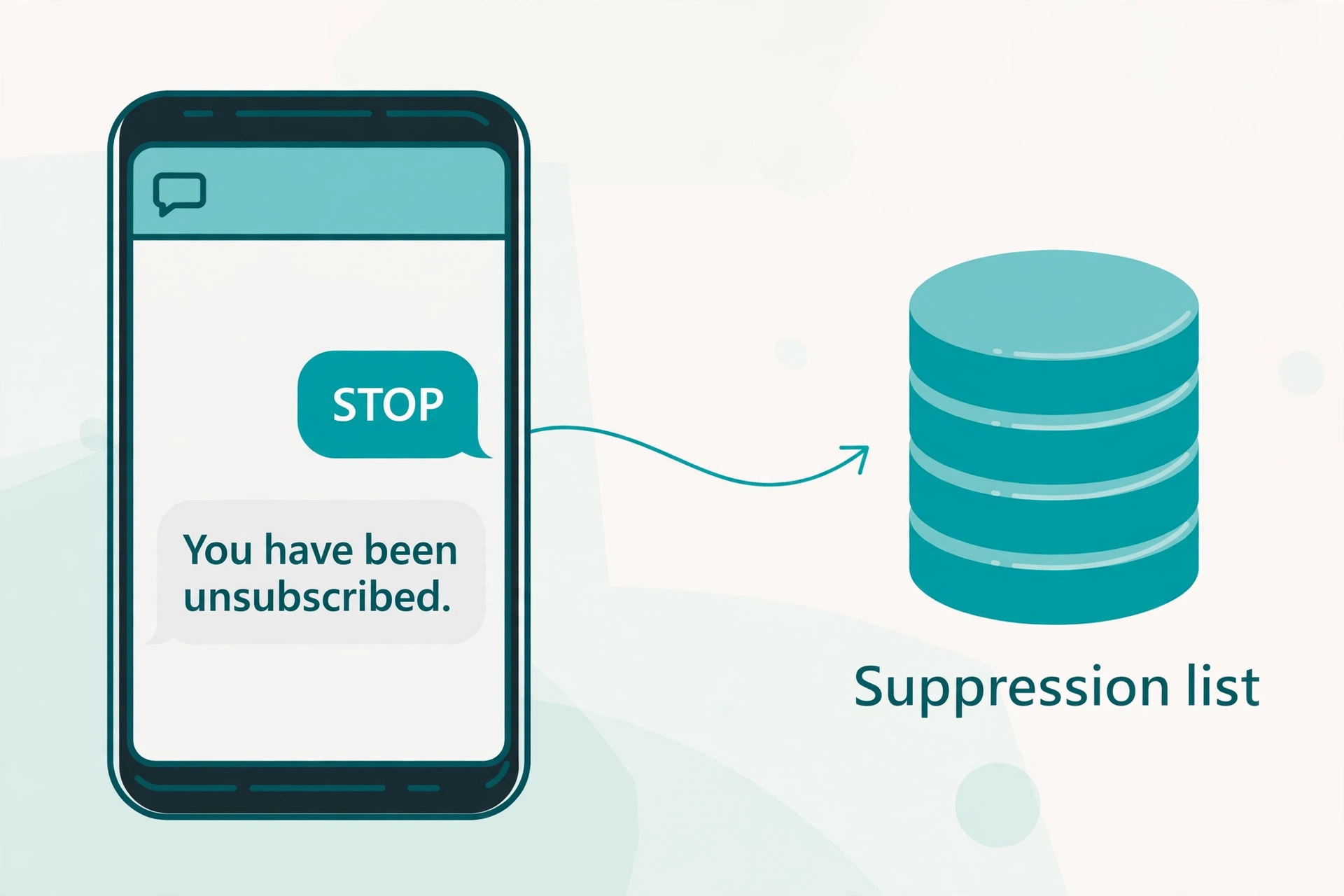
A person texts STOP to your chatbot. In that moment your system has one job: stop. Not negotiate, not offer a discount, not ask why. Just stop, confirm it once, and never message that number again until the person says otherwise.
This guide is a builder’s guide. It covers the code-level patterns for handling STOP requests in an SMS chatbot: intercepting keywords before your LLM or bot logic ever sees them, writing suppression records, sending the single allowed confirmation, handling natural-language opt-outs, and processing re-opt-ins. The examples use Twilio and Python because Twilio’s behavior is the best documented, but the architecture applies to any provider.
One note: this is a practical technical guide, not legal advice. Run your implementation past counsel before sending real traffic.
The One Rule That Matters: Interception Order
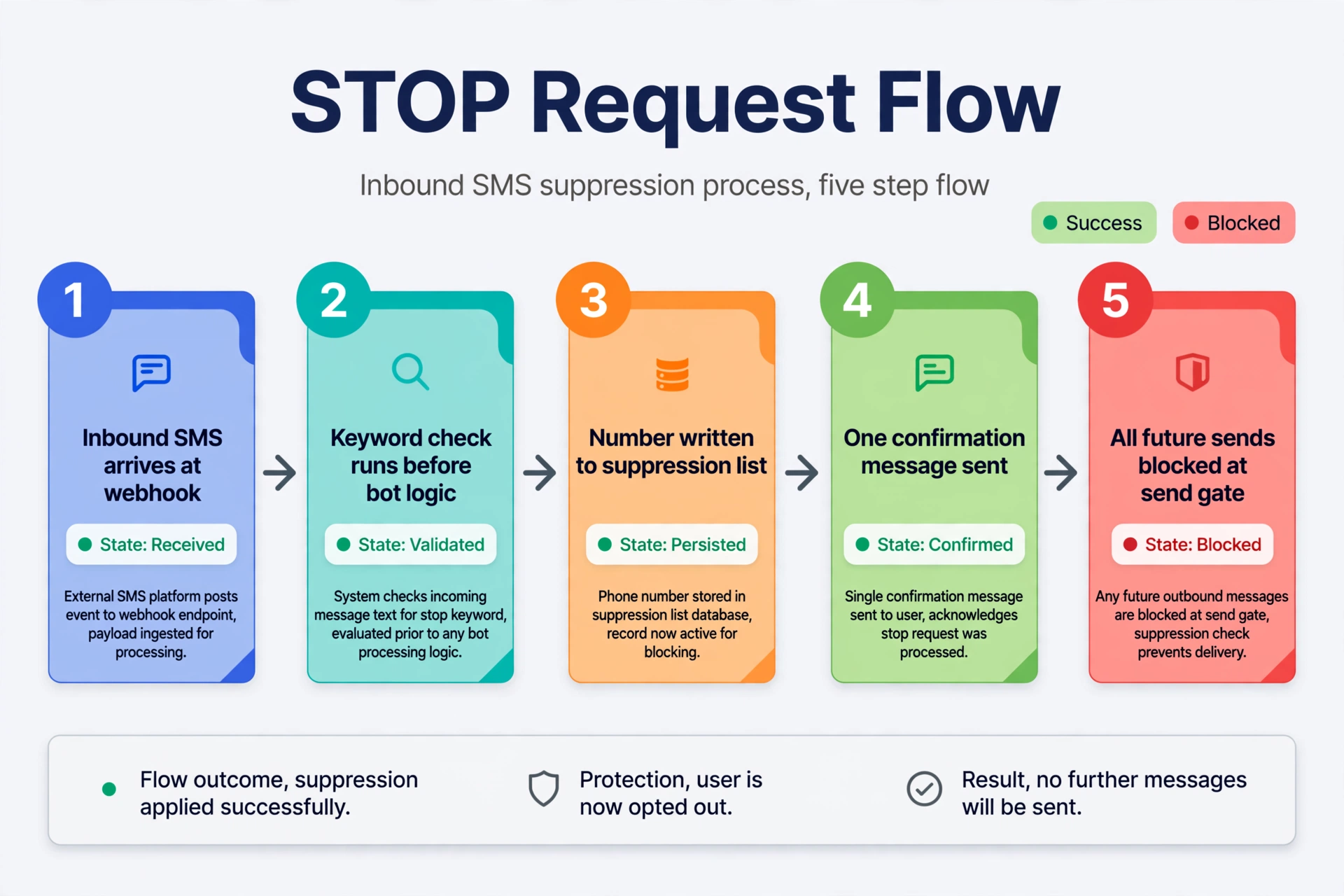
Every STOP-handling bug I have seen comes from the same mistake: the keyword check ran too late. The message reached the conversation engine first, and by the time the opt-out was processed, the bot had already replied, scheduled a follow-up, or queued the number for a campaign.
The correct order in your inbound webhook is fixed:
- Verify the webhook signature.
- Check whether the provider already flagged the message (Twilio’s
OptOutType). - Match single-word keywords: STOP, HELP, START.
- Screen for natural-language opt-out phrases.
- Only now hand the message to your chatbot or LLM.
Nothing in steps 2 to 4 may trigger a marketing message, a flow entry, or a follow-up. Keyword handling is a gate in front of your bot, not a feature inside it. In a lead qualification flow, for example, a prospect who texts STOP mid-conversation must exit the flow instantly, even if they were one step away from booking.
What Twilio Does for You (and What It Does Not)
When Twilio receives one of its STOP keywords (STOP, STOPALL, UNSUBSCRIBE, CANCEL, END, REVOKE, OPTOUT, QUIT), it creates a block list entry on its side and passes the message on to your webhook. Future sends to that recipient fail with a 400 and error code 21610. Only single-word messages trigger the block: STOP opts out, but “STOP PLEASE” or “PLEASE CANCEL” do not. The block is logged even if your number has no messaging request URL configured.
Two things Twilio does not do. First, the block applies only to the most recent number that messaged the recipient. If you send from several numbers, Twilio will not suppress the others, so mirror every opt-out on your side. Second, Twilio cannot purge messages you already queued in your own scheduler before the STOP arrived. Only your code can cancel those.
With Advanced Opt-Out enabled on a Messaging Service, Twilio includes an OptOutType property (STOP, START, or HELP) in the webhook request, so you know it already matched and replied. Do not send your own confirmation in that case: Twilio already sent one, and a second reply to a person who just asked for silence looks like a system that cannot stop. You can also customize keywords, replies, languages, and country overrides.
One configuration gotcha: once a number belongs to a Messaging Service, Twilio uses the Messaging Service’s inbound webhook and ignores the per-number webhook. If your STOP handler stops receiving messages after you attach numbers to a service, check where the inbound URL is set.
The Webhook Pattern, Step by Step
Here is a complete Flask webhook that implements the interception order. It assumes Twilio, but the structure ports directly.
import os
from flask import Flask, request
from twilio.request_validator import RequestValidator
from twilio.twiml.messaging_response import MessagingResponse

app = Flask(__name__)
AUTH_TOKEN = os.environ["TWILIO_AUTH_TOKEN"]

# Mirror Twilio's default keyword lists so our fallback matches provider behavior.
STOP_KEYWORDS = {"STOP", "STOPALL", "UNSUBSCRIBE", "CANCEL", "END", "QUIT", "REVOKE", "OPTOUT"}
START_KEYWORDS = {"START", "YES", "UNSTOP"}
HELP_KEYWORDS = {"HELP", "INFO"}

# Set this True if your provider or Advanced Opt-Out already sends the
# confirmation. If True, we record the opt-out and stay silent.
PROVIDER_SENDS_CONFIRMATION = True

# Natural-language phrases that are clearly opt-outs, matched on the whole
# normalized message. Never substring-match a bare word like "stop".
_RAW_OPT_OUT_PHRASES = [
    "stop texting me",
    "please stop texting me",
    "don't text me",
    "do not text me",
    "take me off your list",
    "remove me from your list",
    "unsubscribe me",
    "please unsubscribe me",
]


def normalize(text):
    text = text.strip().lower()
    # Collapse whitespace and strip punctuation for phrase matching.
    return " ".join("".join(ch if ch.isalnum() or ch.isspace() else " " for ch in text).split())


OPT_OUT_PHRASES = {normalize(p) for p in _RAW_OPT_OUT_PHRASES}


@app.post("/webhooks/sms")
def inbound_sms():
    # 1. Reject anything that is not really from Twilio.
    validator = RequestValidator(AUTH_TOKEN)
    signature = request.headers.get("X-Twilio-Signature", "")
    if not validator.validate(request.url, request.form, signature):
        return "unauthorized", 403

    from_number = request.form.get("From", "")
    body = request.form.get("Body", "")
    message_sid = request.form.get("MessageSid", "")
    opt_out_type = request.form.get("OptOutType")  # Advanced Opt-Out only

    # Idempotency: Twilio retries webhooks on timeouts.
    if already_processed(message_sid):
        return "", 200

    # 2. Provider already matched and replied. Record, do not reply again.
    if opt_out_type == "STOP":
        suppress_number(from_number, source="twilio OptOutType=STOP")
        cancel_scheduled_messages(from_number)
        mark_processed(message_sid)
        return "", 200
    if opt_out_type == "START":
        restore_number(from_number, source="twilio OptOutType=START")
        mark_processed(message_sid)
        return "", 200
    if opt_out_type == "HELP":
        mark_processed(message_sid)
        return "", 200

    # 3. Exact single-word keyword match, before anything else.
    token = body.strip().upper()
    single_word = " " not in token

    if single_word and token in STOP_KEYWORDS:
        suppress_number(from_number, source="keyword", keyword=token)
        cancel_scheduled_messages(from_number)
        mark_processed(message_sid)
        if PROVIDER_SENDS_CONFIRMATION:
            return "", 200
        resp = MessagingResponse()
        resp.message(
            "You have been unsubscribed and will not receive any more "
            "messages from this number. Reply START to resubscribe."
        )
        return str(resp)

    if single_word and token in START_KEYWORDS:
        restore_number(from_number, source="keyword", keyword=token)
        mark_processed(message_sid)
        resp = MessagingResponse()
        resp.message(
            "You have been re-subscribed. Reply HELP for help. "
            "Reply STOP to unsubscribe."
        )
        return str(resp)

    if single_word and token in HELP_KEYWORDS:
        mark_processed(message_sid)
        resp = MessagingResponse()
        resp.message(
            "Acme Alerts: order and appointment updates. For help, email "
            "support@example.com or call (555) 010-2030. Reply STOP to opt out."
        )
        return str(resp)

    # 4. Natural-language opt-outs. Whole-message match only, no substrings.
    if normalize(body) in OPT_OUT_PHRASES:
        suppress_number(from_number, source="natural-language")
        flag_for_human_review(from_number, body)
        cancel_scheduled_messages(from_number)
        mark_processed(message_sid)
        resp = MessagingResponse()
        resp.message(
            "Got it. You have been unsubscribed and will not receive any more "
            "messages from this number. Reply START to resubscribe."
        )
        return str(resp)

    # 5. Everything else is conversation. The bot or LLM gets it now.
    mark_processed(message_sid)
    return chatbot_reply(from_number, body)
A few design choices are worth calling out. The keyword match is exact and case-insensitive on a single token, which mirrors how Twilio triggers its own block. The natural-language check runs after keyword matching and uses whole-message phrase matching, never a bare substring search, so “please don’t stop the updates” can never trigger a suppression. And the suppression write happens before the reply is built, so the number stays suppressed even if replying fails. The datastore helpers (suppress_number, is_suppressed, cancel_scheduled_messages, and the rest) are intentionally abstract here; wire them to your own database and scheduler in production.
The Send-Side Gate: Error 21610
The inbound webhook is only half the system. Every outbound send must also check the suppression list, because bugs, race conditions, and forgotten cron jobs will try to message opted-out numbers. Twilio error 21610 is the safety net: attempts to message a blocked number fail with a 400 and that code.
Treat 21610 as a signal, not just an error. When you catch it, write the suppression record. That covers opt-outs that happened without your webhook seeing them, such as a STOP received while your endpoint was down.
from twilio.rest import Client
from twilio.base.exceptions import TwilioRestException

ACCOUNT_SID = os.environ["TWILIO_ACCOUNT_SID"]
FROM_NUMBER = os.environ["TWILIO_PHONE_NUMBER"]
client = Client(ACCOUNT_SID, AUTH_TOKEN)

def send_sms(to, body):
    # Gate 1: our own suppression list. Checked on every send, no exceptions.
    if is_suppressed(to):
        log_attempt(to, body, outcome="blocked_by_suppression_list")
        return {"sent": False, "reason": "suppressed"}

    # Gate 2: provider-level block, caught via error 21610.
    try:
        message = client.messages.create(to=to, from_=FROM_NUMBER, body=body)
        return {"sent": True, "sid": message.sid}
    except TwilioRestException as e:
        if e.code == 21610:
            # They opted out through the carrier path. Record it like any STOP.
            suppress_number(to, source="error-21610")
            log_attempt(to, body, outcome="blocked_by_provider")
            return {"sent": False, "reason": "provider_block_21610"}
        raise
Log every blocked attempt, including the ones your own list caught. Those logs are the evidence you show if anyone asks whether you honored an opt-out.
Suppression List Design: What to Store
A suppression list is small and boring, which is exactly why teams under-design it. Store at minimum:
- The phone number in exact E.164 format as a unique key, normalized before writing so +15551234567 and 15551234567 never become two records.
- The opt-out timestamp plus the keyword or source that caused it: keyword STOP, natural language, provider OptOutType, or error 21610.
- The scope, defaulting to program-wide. Twilio’s own block is per sending number, so your list is what keeps a STOP on one number from leaking out on another.
- A status history, not just a boolean. Keep the row when someone re-subscribes and stamp a restarted timestamp, so you can always answer when the number opted out and when it came back.
Fail closed everywhere. An unparseable number or a database hiccup at send time means do not send.
The Single Confirmation Message Rule
After a STOP, you may send exactly one message: the confirmation. It confirms the opt-out and tells the person how to come back. It carries no marketing, no discount, no survey link, and no “sorry to see you go” pitch. A safe template: “You have been unsubscribed and will not receive any more messages from this number. Reply START to resubscribe.”
Then silence. No follow-ups, no win-back series, no “just checking in” texts. The only message that can restart the conversation is one the subscriber sends first.
Natural-Language Opt-Outs: “Please Stop Texting Me”
Keyword matching misses real people. Most customers do not know the magic word. They type “please stop texting me,” “take me off your list,” or “don’t send me these anymore.” Carriers do not auto-trigger on sentences, so these messages land in your webhook as ordinary text. If your bot treats them as conversation, it will cheerfully keep chatting with someone who asked to leave.
Two layers handle this. First, the phrase list in the webhook above catches the common wordings with whole-message matching and suppresses immediately, while flagging the conversation for human review. Second, anything that does not match but smells like an opt-out should still pause the automation and go to a human within a day. The suppression from layer one already holds in the meantime.
Never substring-match a bare word like “stop” against free text. “Don’t stop sending me deals” contains “stop” and means the opposite. Whole-message phrase matching or a real intent classifier are the only safe options.
Re-Opt-In Handling: START Restores, Subscriber-Initiated Only
Opting back in is the subscriber’s move, never yours. START, YES, or UNSTOP from the number restores messaging, and you send one confirmation that they are back. The suppression row keeps its history with a restarted timestamp.
What you must never do is message an opted-out number to invite a re-opt-in. No “we miss you, reply START” campaigns. Under TCPA consent rules, the confirmation after a STOP is the last message you initiate. The SMS channel stays dark until the phone itself says START.
Testing Checklist
Test this like it is load-bearing, because it is.
- Text STOP from a real phone to each sending number. Confirm the number lands in your suppression list within seconds and that the confirmation arrives exactly once.
- With Advanced Opt-Out on, confirm your app sends no second reply. Two confirmations means the
OptOutTypebranch is broken. - After STOP, attempt a send through your API and confirm your own gate blocks it before it reaches the provider. Then confirm the 21610 path: the exception is caught and the suppression record is written.
- Text “please stop texting me” and confirm it suppresses and queues a human review. Text “don’t stop the updates” and confirm it does not suppress.
- Text START after a STOP and confirm messaging resumes. Confirm that a marketing message sent before the START still did not go out during the suppressed window.
- Schedule a message, then text STOP, then confirm the scheduled send is cancelled. This is the purge step everyone forgets.
- POST to the webhook without a valid signature and confirm a 403. Replay the same MessageSid twice and confirm only one suppression write.
- If you send from multiple numbers, STOP on one and confirm your list suppresses the number program-wide, since Twilio’s block is per number.
FAQ
What happens when someone replies STOP to my chatbot?
Twilio creates a block list entry so future sends fail with error 21610, and it forwards the message to your webhook. Your webhook writes the number to your own suppression list, cancels scheduled messages, and sends at most one confirmation. If Advanced Opt-Out already replied for you, send nothing.
Can I text a customer again after they text STOP?
Only the single confirmation message. After that, nothing until the subscriber texts START, YES, or UNSTOP. Messaging an opted-out number to invite a re-opt-in is the classic violation.
What if someone says “stop” inside a longer message?
Carriers and Twilio only auto-trigger on the single word, so “please stop texting me” needs your own handling. Match whole natural-language phrases after the keyword check, suppress on clear matches, and route ambiguous ones to human review within a day.
Does STOP apply to all my numbers or just the one they replied to?
Twilio’s block applies to the most recent number that messaged the recipient. If you send from several numbers, mirror every opt-out in your own program-wide suppression list so the other numbers stay silent too.
What is Twilio error 21610?
The error Twilio returns when you try to message a number that opted out. Catch it on every send and write the suppression record. It is the last line of defense for opt-outs your webhook never saw.
Can I customize the STOP confirmation message?
Yes, with Advanced Opt-Out on a Messaging Service you can customize keywords, replies, languages, and country overrides. Without it, Twilio sends its default reply while your webhook handles your own bookkeeping.
Does HELP work the same way?
HELP gets a helpful reply rather than silence: your program name, a real contact route, and how to opt out. With Advanced Opt-Out, Twilio includes OptOutType=HELP in the webhook so you can track help requests without double-replying.
Conclusion
STOP handling is not a feature you bolt onto a chatbot. It is a gate that sits in front of everything: signature check, provider flag, keyword match, natural-language screen, and only then the bot. Back it with a suppression list that fails closed, a send-side gate that catches error 21610, one clean confirmation, and subscriber-initiated re-opt-ins. Build it this way once, and the scariest message your chatbot will ever receive becomes the most boring one to process.
Want this set up for you?
I build SMS chatbots and API integrations for businesses. If you would like what this guide describes, done for you, get in touch.