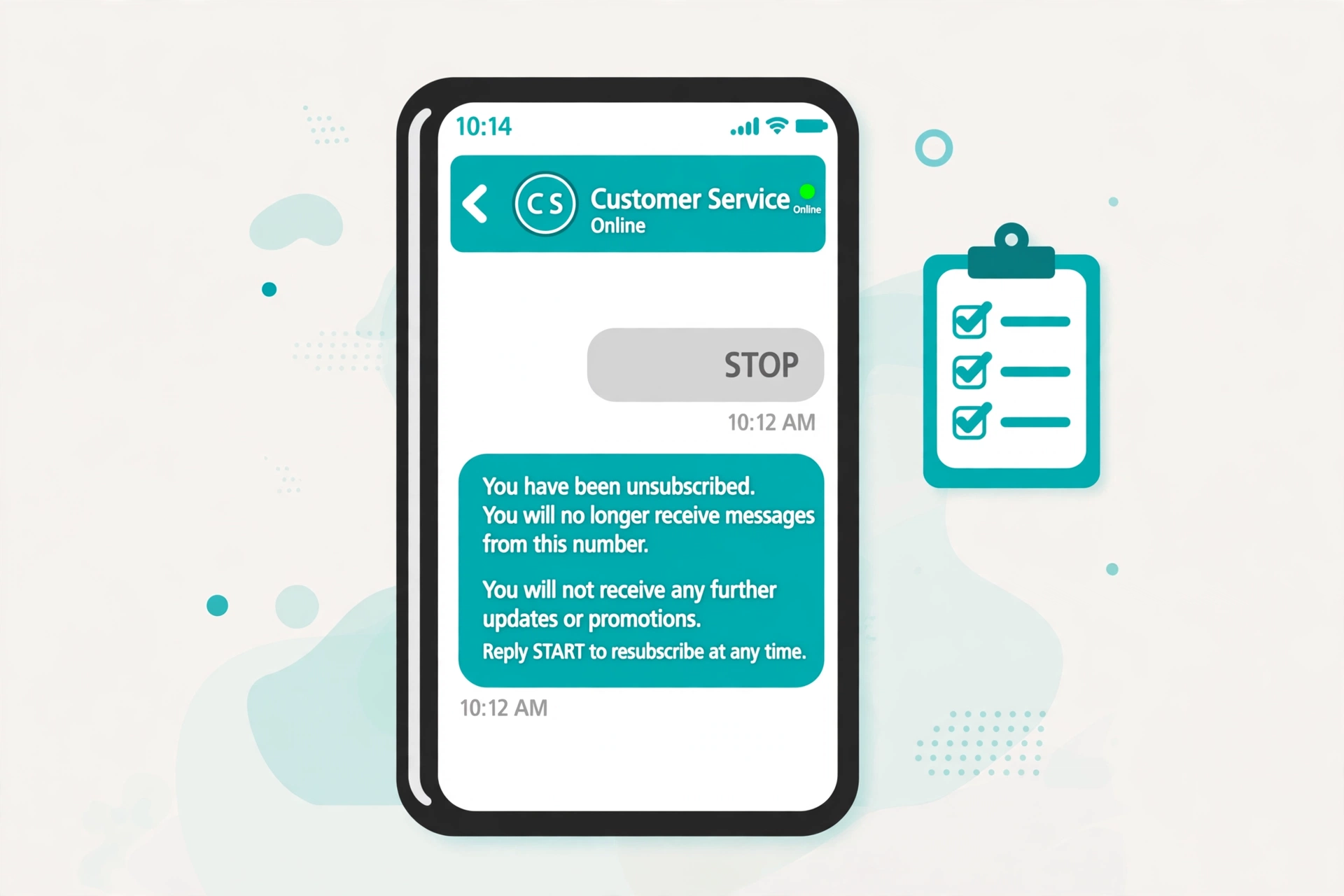
Every SMS program lives or dies by three little words. A subscriber texts STOP, HELP, or START, and your system has to get the response exactly right, every time. Carriers treat keyword handling as a basic requirement, and a bot that argues with a STOP is a campaign waiting to be shut down.
One note: this is a practical explainer, not legal advice. TCPA rules, FCC orders, and carrier policies change, so run your build past counsel before you send real traffic.
Why Keywords Are Rules, Not Features
Normal keywords do whatever you wire them to. COFFEE triggers a coupon, TRACK sends a tracking link. STOP, HELP, and START are different: their meaning is already defined by industry standards and carrier expectations, and your job is to honor it.
The CTIA short code audit standards make it an audit item: an opt-out keyword must produce an opt-out message confirming the opt-out, and HELP must produce a reply with contact information. That is why Twilio, Vonage, and Plivo build keyword handling into their platforms rather than leaving it to you.
For a chatbot, keyword handling has to run before conversation logic, intent matching, and flow triggers. A STOP must never start a marketing flow or get treated as ordinary conversation.
The Complete Keyword Reference Table
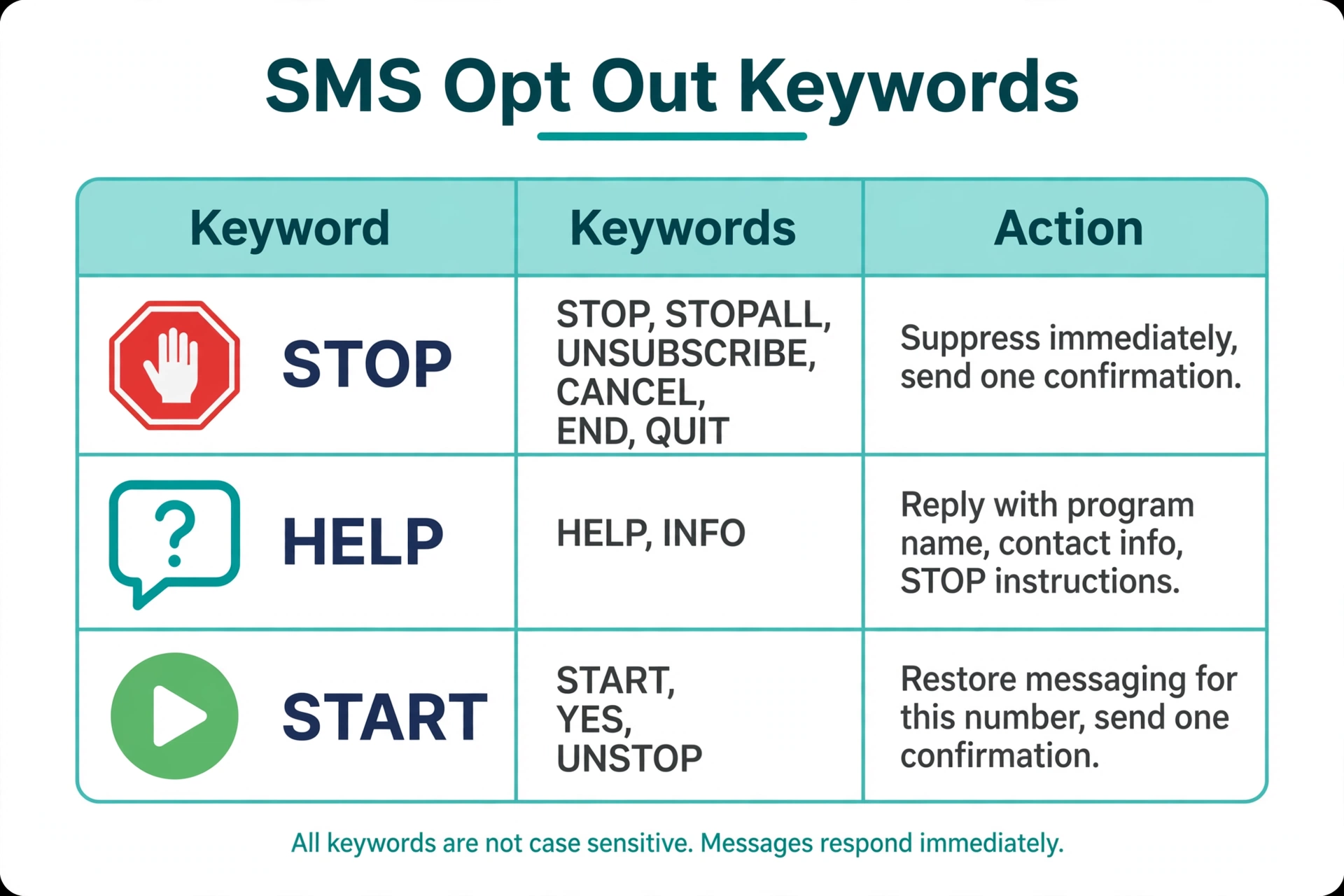
Here is the full set, grouped by what they do. The core list is consistent across providers, with platform-specific extras.
| Keyword group | Keywords | What it means |
|---|---|---|
| Opt out | STOP, STOPALL, UNSUBSCRIBE, CANCEL, END, QUIT | The person wants no more messages. Honor immediately. |
| Extended opt-out variants | REVOKE, OPTOUT | Recognized by Twilio, Genesys, and Vonage’s 10DLC registration as opt-out words. Treat them the same as STOP. |
| Help | HELP, INFO | The person wants information about the program. Reply with support details. |
| Resubscribe | START, YES, UNSTOP | The person wants messages again after opting out. Restore their consent. |
| Extended resubscribe variants | RESUME, GO | Recognized by Plivo as opt-in keywords. Honor them if your provider does. |
Note two provider differences. Vonage’s 10DLC registration example also accepts “OPT OUT” and “REMOVE ME” as opt-out phrases. And resubscribe keywords vary the most: Plivo accepts RESUME and GO, Twilio’s core set is START, YES, and UNSTOP, and toll-free numbers on Twilio only honor START and UNSTOP. Match your implementation to your provider’s list.
What the Required Behavior Is for Each Keyword
STOP and its variants
When a single-word STOP keyword arrives: suppress the number immediately, send exactly one confirmation message, then send nothing further to that number.
The confirmation should confirm the action and nothing else. Twilio’s default wording is a good template: “You have successfully been unsubscribed. You will not receive any more messages from this number. Reply START to resubscribe.”
Three rules follow from this:
- It is not a retention pitch, a discount offer, or a “sorry to see you go” survey. Send the exit line and stop.
- Match on the whole message, not a substring. Twilio only triggers the block on single-word messages: STOP opts out, “STOP PLEASE” or “PLEASE CANCEL” do not. This is deliberate. A partial match could suppress someone by accident, and only the subscriber can undo it.
- Suppression follows the number, not the contact record. If the same person exists twice in your data, both records stop. Twilio’s block list applies to the most recent number that messaged the recipient, so if you send from multiple numbers, mirror the block on your side. Plivo goes further on 10DLC: opting out of one number opts the recipient out of every number in that campaign.
One more detail: opting out is per sender, so a STOP to your reminders number does not technically opt the person out of your marketing program on a different number. Honor it across your program anyway. When in doubt, suppress broadly.
HELP and INFO
HELP gets a helpful reply, not silence: the program name (or a description of what it sends), a real contact route (phone, email, or support URL), and how to opt out.
Twilio’s default HELP reply is minimal: “Reply STOP to unsubscribe. Msg&Data Rates May Apply.” If you customize it, add your brand name and a contact method: “[Brand]: order updates from [Company]. Help at support@example.com. Reply STOP to unsubscribe.”
HELP should work even when the person has opted out. If someone texted STOP last week and now texts HELP, they are entitled to support information. One caveat: on US/CA toll-free numbers, Twilio notes HELP replies to opted-out recipients are not delivered unless they opt back in first. Know your provider’s behavior.
START, YES, and UNSTOP
Resubscription is subscriber-initiated only: the person texts START, your system clears the opt-out for that sender, and you send one confirmation. Twilio’s default: “You have successfully been re-subscribed to messages from this number. Reply HELP for help. Reply STOP to unsubscribe. Msg&Data Rates May Apply.”
You cannot re-add someone from your side. A prior STOP is sticky: no admin toggle, no re-import of the list. The person has to text the keyword, and you log the moment.
How to Implement Keyword Interception in Bot Flows
The pattern has one rule: check for keywords before anything else. The keyword check is the first thing your inbound webhook does, ahead of NLU, intent routing, and session state. Here is a minimal Python example in the shape Twilio webhooks use:
STOP_WORDS = {"STOP", "STOPALL", "UNSUBSCRIBE", "CANCEL", "END",
              "QUIT", "REVOKE", "OPTOUT"}
HELP_WORDS = {"HELP", "INFO"}
START_WORDS = {"START", "UNSTOP", "YES"}

def handle_inbound(from_number, body):
    keyword = body.strip().upper()

    # 1. Keywords are checked first, before any bot flow.
    if keyword in STOP_WORDS:
        mark_opted_out(from_number, keyword)
        # Send this only if your provider does not send its own confirmation.
        send(from_number,
             "You're unsubscribed from Acme alerts. "
             "You won't get more messages. Reply START to rejoin.")
        return "stop_handled"

    if keyword in START_WORDS:
        restore_consent(from_number, keyword)
        send(from_number,
             "You're resubscribed to Acme alerts. "
             "Reply HELP for help, STOP to unsubscribe.")
        return "start_handled"

    if keyword in HELP_WORDS:
        send(from_number,
             "Acme alerts: order updates from Acme Co. "
             "Help at support@example.com. Reply STOP to unsubscribe.")
        return "help_handled"

    # 2. Everything else goes to the bot.
    return run_bot_flow(from_number, body)
A few notes on the pattern, each tied to something providers actually do:
- Normalize before matching. Strip whitespace, uppercase the message, and compare the whole message, not a substring. That matches Twilio’s single-word rule: “stop sending these on sundays” is not a keyword and should go to the bot or a human.
- Record the keyword, not just the state. Twilio’s Advanced Opt-Out adds an
OptOutTypeparameter to the inbound webhook so you can track which keyword the sender used. Store the number, the keyword, the timestamp, and the sender it applies to. Consent records are what you reach for during a dispute. - Never let a keyword start a flow. If your bot has a keyword trigger on the word “stop”, the compliance keyword must win. Consume it before trigger matching.
- Mirror the provider’s block list in your own database. Twilio refuses sends with error 21610, but your application logic should know the number is suppressed too. The day you change providers, your own list is what protects you.
- Don’t double-send confirmations. Decide whether your app or the provider owns the reply and configure the other side to stay quiet.
- Short codes and alpha senders are special cases. Twilio does not handle keywords on short codes by default, and alphanumeric sender IDs can’t receive inbound at all, so keyword handling must be wired manually or paired with another opt-out route like a support line.
How Not to Break the Conversational UX
Keyword handling wants instant, rigid, one-shot replies. Bots want fluid back-and-forth. Here is how to keep both.
Let the keyword land in the thread. Keep the keyword message and the confirmation in the conversation history, so an agent reading the thread later sees the STOP and the unsubscribe reply.
Never argue with a STOP. No “are you sure?”, no offers to pause messages instead. A STOP gets one confirmation, and the confirmation ends the topic.
Check suppression before every send. Every scheduled message, drip sequence, and reminder must check the suppression list. The classic failure: a bot that honored STOP on Monday and sends the abandoned-cart flow on Wednesday because the two read from different lists.
Handle the non-keyword opt-outs. Real people write “please stop texting me” and “stop it.” Twilio’s automatic block won’t catch those because they aren’t single words. Recognize opt-out intent in plain language and route it to a human instead of answering “I didn’t understand that.” This is the case most guides skip, and where most real-world complaints come from.
Make re-entry natural. After a START, don’t dump the person back into a flow they left weeks ago. Confirm the resubscription and let them start fresh. A bot that resumes a sales pitch mid-sentence earns a second STOP.
Quiet Hours Still Apply to Everything Except Confirmations
Keyword confirmations are transactional, not marketing, so a HELP or STOP reply goes out whenever it arrives, even at 2am. But the moment someone resubscribes with START, their number falls back under your normal scheduling rules, including quiet hours. Not sure when you can send? Run the number through the site’s SMS quiet hours checker before queuing anything promotional.
FAQ
What happens when someone texts STOP?
The number is suppressed immediately, they get exactly one confirmation saying they’re unsubscribed, and no further messages go out from that sender. On Twilio, future send attempts to that number are rejected by the API with error 21610.
Does “stop please” or “please cancel” count as an opt-out?
Not for automatic keyword handling. Providers like Twilio only trigger the block on single-word messages, so “STOP PLEASE” and “PLEASE CANCEL” are ordinary messages. They still express the same intent, so route them to a human or suppress the number manually.
Can I text someone after they reply STOP?
Only two things: the single opt-out confirmation, and later a HELP response if they ask for help. No marketing, no reminders, no “just checking in.” They have to re-initiate with START before any other messaging resumes.
How does someone resubscribe after texting STOP?
They text START (or YES, UNSTOP, depending on the provider). You cannot resubscribe them from your side, not even if they ask on the phone. The keyword has to come from their handset, and your system should log the timestamp.
What should a HELP reply contain?
The program name or description, a real contact route (phone, email, or support page), and how to opt out. Keep it to one message: “[Brand]: order updates from [Company]. Help at support@example.com. Reply STOP to unsubscribe.”
Does STOP work on toll-free numbers too?
Yes, and Twilio handles it automatically. Two differences: on toll-free, only START and UNSTOP re-subscribe the number (YES is not honored), and HELP replies to opted-out recipients may not be delivered until they opt back in.
Can my chatbot intercept a STOP and keep the conversation going?
No. Keyword handling must run before any bot logic, and the keyword message must never trigger a flow. Logging the STOP for analytics is fine, but the bot’s reply is the confirmation, full stop.
Conclusion
STOP, HELP, and START are small words with big consequences. Get them right and they’re invisible: the subscriber leaves cleanly, gets help when asked, and can come back with one word. Get them wrong and they become complaints, carrier blocks, and legal exposure.
The whole implementation fits in one function: normalize the message, check the keyword sets first, suppress or restore, send the single confirmation, and log everything. Build that once and test it against every variant your provider lists, and compliance never depends on the bot’s mood.
Want this set up for you?
I build SMS chatbots and API integrations for businesses. If you would like what this guide describes, done for you, get in touch.