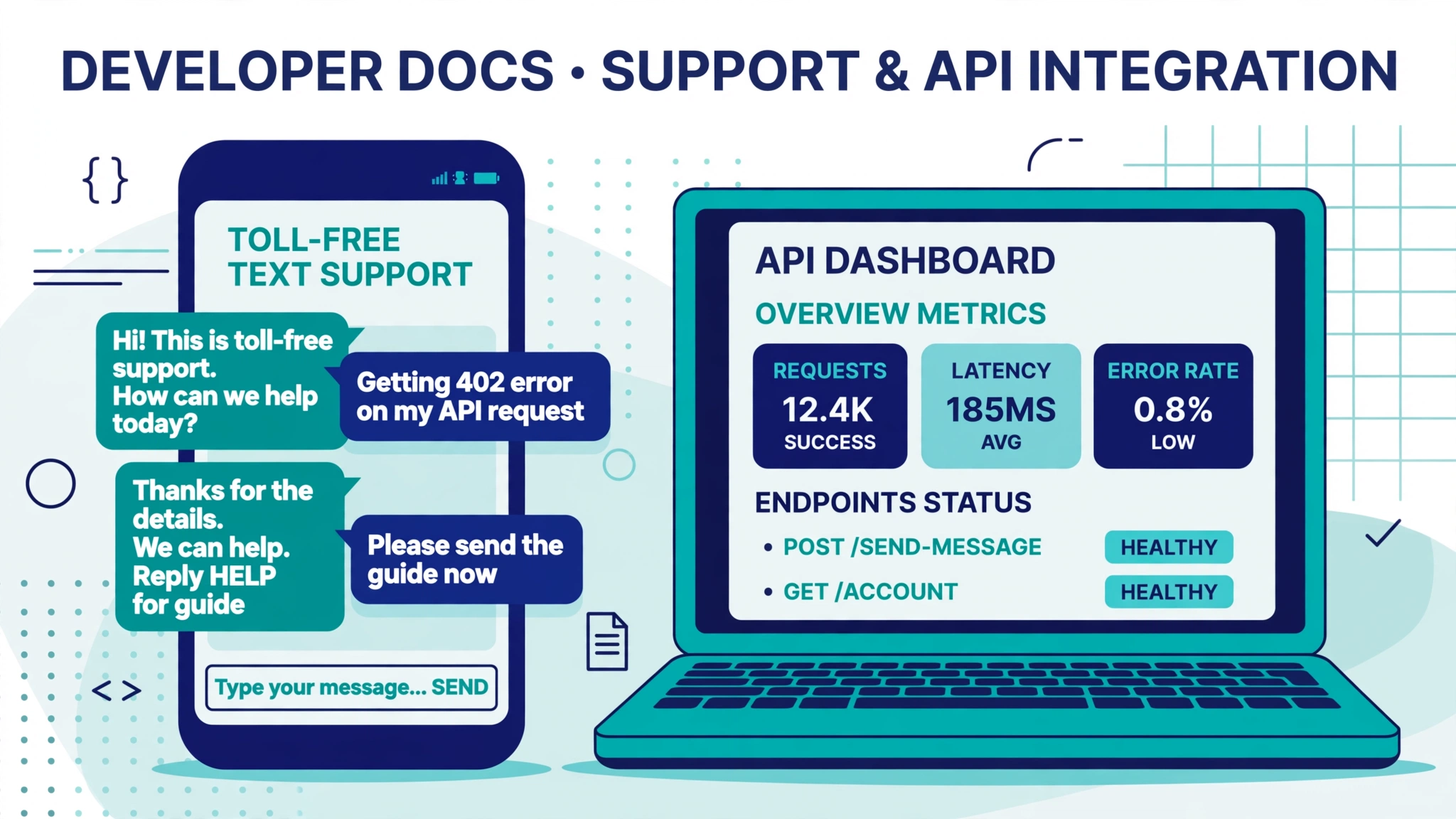
You are building login flows, and users need their codes fast. In the US, the two realistic options for sending OTPs are toll-free numbers and 10DLC long codes. Both require registration, and the right pick depends on your volume and your timeline.
This guide compares toll-free and 10DLC for OTP delivery across latency, deliverability, throughput, cost, and setup speed, with a decision matrix, implementation checklists for each path, and code examples verified against Twilio’s current documentation.
A quick compliance note before you read further. This article explains technical and operational tradeoffs. It is not legal advice. Carrier rules and registration requirements change, so confirm current requirements against official sources such as Twilio’s docs and The Campaign Registry before you launch.
The short answer
If you need to send OTPs this week and your volume is modest, toll-free verification is usually the fastest compliant path. Twilio’s official documentation puts verification at roughly 3 to 5 business days, and the form is simpler than a full 10DLC campaign.
If you are sending a meaningful daily volume of OTPs, 10DLC is the better long-term home. Campaign reviews currently take 10 to 15 days according to Twilio’s quickstart, so plan for that.
Decision matrix: toll-free vs 10DLC for OTP
OTP traffic has quirks that marketing traffic does not have. A code that arrives in three minutes might as well not arrive at all, since the user has already clicked resend. OTP messages are short, identical in shape, and sent in bursts after signup events. The matrix below weights the dimensions that matter most for verification codes.
| Dimension | Toll-free (verified) | 10DLC (verified 2FA campaign) |
|---|---|---|
| Sender format | 8XX number, national feel | Standard 10-digit local number |
| Time to first compliant send | About 3 to 5 business days (Twilio’s published figure) | About 10 to 15 days for the campaign, brand approval often within minutes for sole proprietors |
| Throughput | 3 messages per second per number by default, can be raised through Twilio’s Traffic Optimization Engine or the high-throughput program | 3.75 to 225 messages per second per campaign depending on brand type and trust score; scales across pooled numbers |
| Deliverability | Strongly reduced filtering on verified traffic to major US and Canada carriers | 99 percent plus reported on registered traffic to major carriers, per industry guides; both paths filter poorly if misclassified |
| Latency | Low on a verified number, but a single number means bursts queue up | Low, and pooled numbers absorb signup bursts better |
| Per-message cost | Mid range; carrier fees apply | Usually the lowest per-message cost of the two |
| Monthly fixed costs | Number rental only (plus per-message fees) | Number rental, brand fees, and monthly campaign fees |
| User trust feel | Recognizable national number | Local number feels familiar to US recipients |
| Two-way replies | Yes | Yes |
Reading the matrix for your situation
The deciding question is peak throughput, not average volume. Take your highest expected signups per minute during a spike and divide by 60. A verified toll-free number gives you 3 messages per second, so a peak of 5 means one number is not enough. You would need a second verified number in a sender pool, or a 10DLC campaign with a healthy trust score. At thousands of OTPs per day with sharp spikes, 10DLC usually wins because throughput scales with the brand trust score instead of being capped per number.
Implementation checklist: the toll-free path
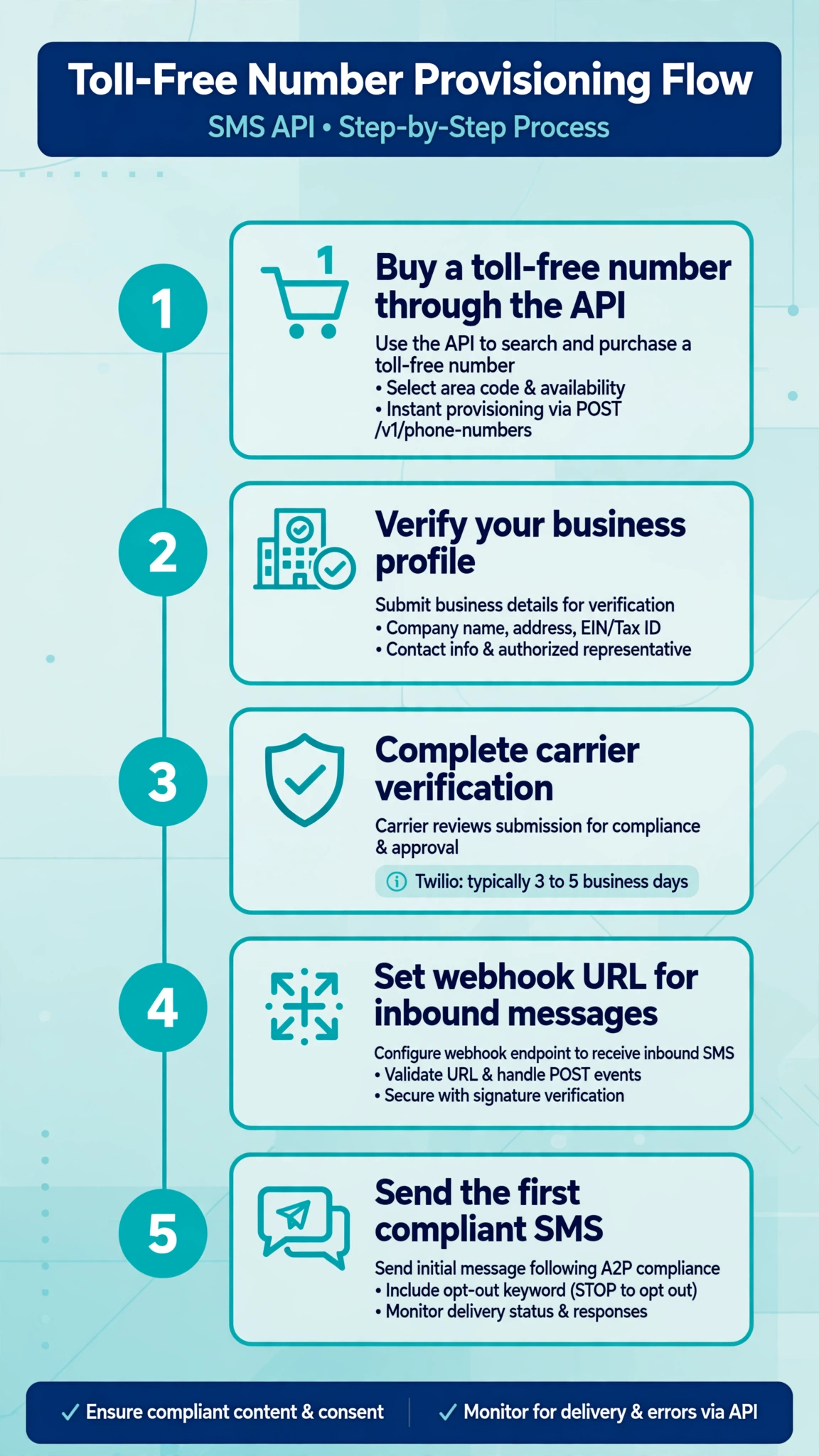
- Buy a toll-free number. In the Twilio Console go to Numbers and senders, search for a toll-free number with SMS capability, and purchase it.
- Submit Toll-Free Verification. This lives in the Console under Regulatory Compliance, or through Twilio’s Messaging Compliance API. Fill in your business details, your website, your OTP use case, and sample messages that show the code format.
- Prepare opt-in proof. Reviewers want to see how users consent to receive texts. A signup page with an unchecked SMS consent checkbox and a privacy policy works. Keep a screenshot ready.
- Wait for approval. Twilio reports around 3 to 5 business days. While waiting, the number cannot send to US and Canada destinations. Attempts return error 30032.
- Add the number to a Messaging Service. This gives you a sender pool, status callbacks, and a clean integration point instead of hardcoding the number in your code.
- Test with real carriers. Send to numbers on Verizon, AT&T, and T-Mobile. Check status callbacks for delivered versus undelivered, and fix content issues before launch.
- Plan for scale. Add a second verified number to the pool if 3 messages per second gets tight.
Implementation checklist: the 10DLC 2FA campaign path
- Create a Customer Profile in Trust Hub. This is your compliance identity at Twilio. Fill in the business details once.
- Register your brand. Standard brands need an EIN and a legal name that matches IRS records. Sole proprietor brands are simpler and usually approve within minutes, though throughput is much lower.
- Register a campaign with the 2FA use case. The fields that matter most for OTP:
- Description, at least 40 characters, explaining the verification use case in plain language.
- Two or more sample messages showing the code template, each at least 20 characters. They must name the sender and include an opt-out mechanism.
- The opt-in flow, at least 40 characters, describing how users consent, for example during account registration.
- Whether messages contain links or phone numbers. OTPs rarely do, so set these flags honestly.
- Wait for campaign approval. Twilio’s docs warn that reviews currently take 10 to 15 days. Do not promise a launch date inside that window.
- Attach numbers to a Messaging Service. Link the Messaging Service to the campaign, then add your 10DLC numbers to the sender pool. Send from the Messaging Service SID, not from a bare number.
- Test and monitor. Test across carriers and track resend rates as a proxy for deliverability problems.
What to do while registration is pending
The waiting period is where OTP projects stall. Build against Twilio’s trial account and test numbers so the code is ready the day approval lands.
Also consider Twilio Verify. It handles code generation, expiry, resend throttling, and rate limits with two API calls, and Verify traffic needs no 10DLC campaign of its own.
Finally, keep a fallback channel ready. Voice calls with a spoken code and email codes both work when SMS is delayed.
Worked code examples
The examples below use Python and Twilio’s libraries. The first two send and check an OTP through Twilio Verify. The third registers a 2FA campaign through the Messaging Compliance API. The fourth sends an OTP directly through the Messaging API once your number or campaign is registered.
Send an OTP with Twilio Verify
from twilio.rest import Client

client = Client(account_sid, auth_token)

verification = client.verify.v2 \
    .services(verify_service_sid) \
    .verifications \
    .create(to="+15551234567", channel="sms")

print(verification.status)
Verify generates the code, picks a sender, and enforces a 10-minute expiry and built-in rate limits.
Check the code the user enters
check = client.verify.v2 \
    .services(verify_service_sid) \
    .verification_checks \
    .create(to="+15551234567", code="481516")

print(check.status)  # "approved" or "pending"
Register a 2FA campaign through the API
This is the programmatic version of the Console campaign form. You need your brand registration SID and Messaging Service SID first.
campaign = client.messaging.v1 \
    .services(messaging_service_sid) \
    .compliance \
    .usa2p \
    .create(
        brand_registration_sid="BNXXXXXXXXXXXXXXXXXXXXXXXXXXXXXXXX",
        us_app_to_person_usecase="2FA",
        description="This campaign sends one-time passcodes to users who register "
                    "an account or sign in, so they can verify their phone number.",
        message_samples=[
            "Your ExampleApp code is [123456]. It expires in 10 minutes. Reply STOP to opt out.",
            "ExampleApp: [123456] is your verification code. Never share it. Reply STOP to opt out.",
        ],
        message_flow="Users opt in by creating an account on our website and checking "
                     "the box that says they agree to receive verification texts.",
        has_embedded_links=False,
        has_embedded_phone=False,
        opt_out_message="You have been unsubscribed from ExampleApp texts. Reply START to resubscribe.",
    )

print(campaign.campaign_status)  # "PENDING"
The bracketed values mark template fields, which is what reviewers expect. After submission the campaign sits in pending status until review completes, currently around 10 to 15 days per Twilio’s docs.
Send an OTP through the Messaging API directly
If you manage codes yourself on a verified toll-free number or a verified 10DLC campaign, send from your Messaging Service so the compliance registration applies:
message = client.messages.create(
    messaging_service_sid=messaging_service_sid,
    to="+15551234567",
    body="Your ExampleApp code is 481516. It expires in 10 minutes. Reply STOP to opt out.",
)

print(message.sid, message.status)
Compliance notes worth remembering
OTP messages are still application-to-person traffic, so registration is not optional in the US. Unverified toll-free numbers are blocked from sending to the US and Canada and return error 30032. Unregistered 10DLC traffic gets filtered by carriers, often silently.
Keep opt-out working even on OTP-only numbers. Twilio handles STOP and HELP keywords at the Messaging Service level by default, so leave that behavior on. Keep the brand name in the body and skip link shorteners so filters do not flag the code.
The figures in this article are current as of the research date and change often. Confirm the numbers that affect your launch against official sources before you commit to a timeline or a budget. This section is general information, not legal advice.
FAQ
Can I send OTPs with a toll-free number?
Yes. A verified toll-free number can send OTPs to US and Canada destinations. Verification takes about 3 to 5 business days through Twilio, and unverified numbers are blocked entirely. Verified toll-free numbers get 3 messages per second by default, which suits low to moderate volumes.
Which is better for OTP, 10DLC or toll-free?
Toll-free is faster to launch and simpler to register, so it fits small apps and teams on a deadline. 10DLC suits higher volumes because throughput scales with brand trust score and per-message costs run lower.
Which number type delivers OTPs fastest?
At low volume there is no meaningful difference between a verified toll-free number and a verified 10DLC campaign. Under load, 10DLC handles bursts better because throughput is per campaign rather than per number.
How long does toll-free verification take?
Twilio’s documentation reports around 3 to 5 business days. A rejection means fixing the flagged issue and resubmitting a corrected request, so get the use case description and opt-in proof right the first time.
How long does 10DLC campaign approval take?
Twilio’s quickstart currently warns of 10 to 15 days for campaign review because of submission volume. Brand registration for sole proprietors is usually approved within minutes. Budget for the full wait in your launch plan.
Should I use Twilio Verify instead of building my own OTP flow?
If your OTP flow is standard, Verify is the pragmatic choice. Two API calls replace code generation, storage, expiry, resend throttling, and fraud filtering. Build your own only if you need full control of the message body or custom routing.
Conclusion
Toll-free gets you sending OTPs sooner with less paperwork. 10DLC scales further and costs less per message once you are approved. The practical move is to launch on verified toll-free, register a 2FA campaign in parallel, and switch the sender pool when the campaign verifies. Whichever path you pick, do the throughput math for your peak signup spikes and test delivery on real carriers before your users do it for you.
Want this set up for you?
I build SMS chatbots and API integrations for businesses. If you would like what this guide describes, done for you, get in touch.