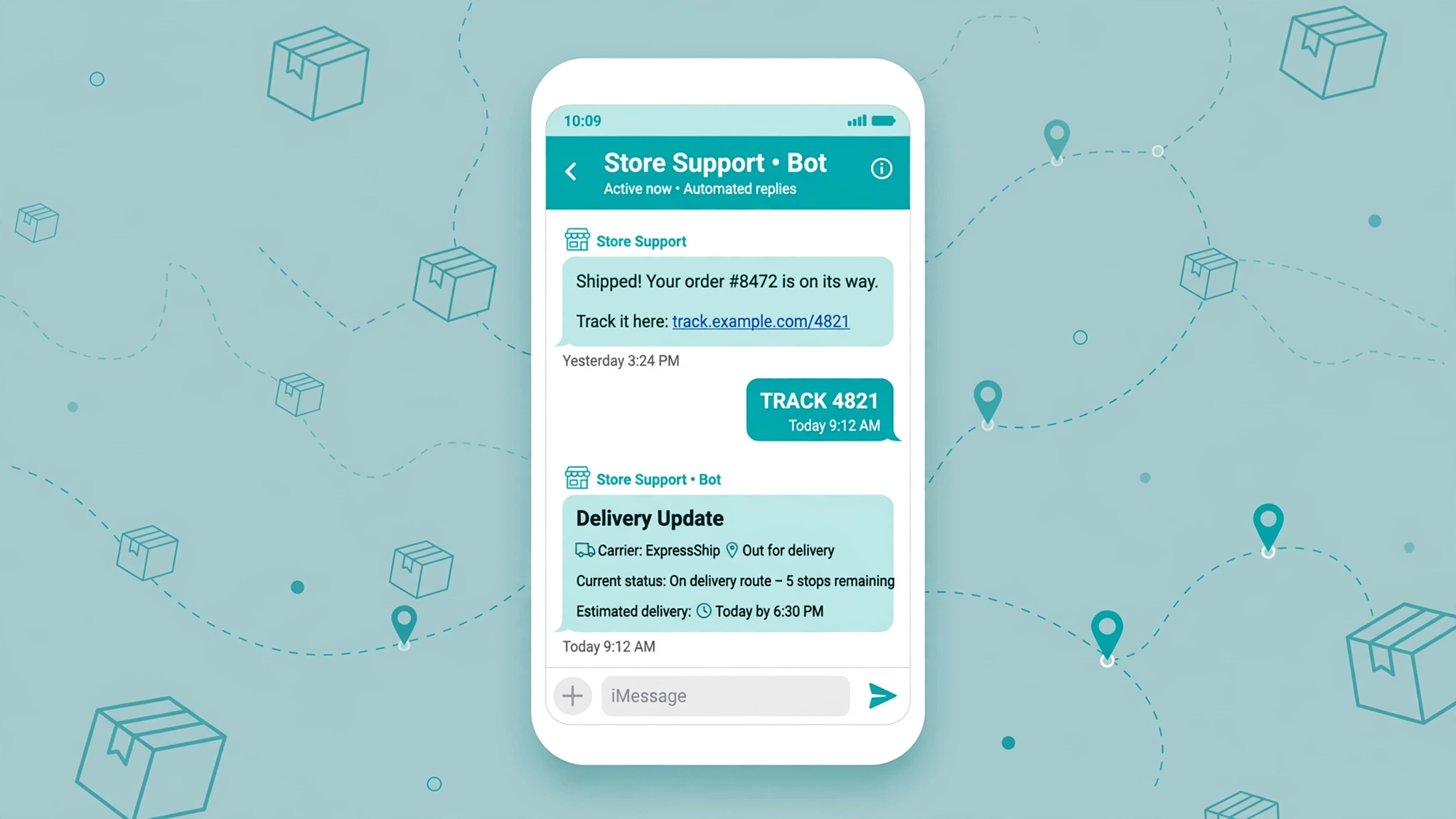
The most common message an ecommerce support team gets is some version of “where is my order?” It arrives by email, by chat, by DM, sometimes by phone. The customer is not angry. They are just checking. But every one of those messages costs a human a few minutes, and at volume it becomes a real support bill.
An SMS chatbot for order tracking attacks this from two directions. It texts the customer before they ask, and it answers when they do ask. The proactive half sends transactional texts as the order moves: confirmed, shipped, out for delivery, delivered. The conversational half reacts to keywords like TRACK and pulls live status from your order system. Together they turn the biggest support sink in ecommerce into something that mostly runs itself.
Most stores need both halves. Proactive texts stop the simple questions. The keyword bot catches the rest, like delayed packages and orders the customer lost track of.
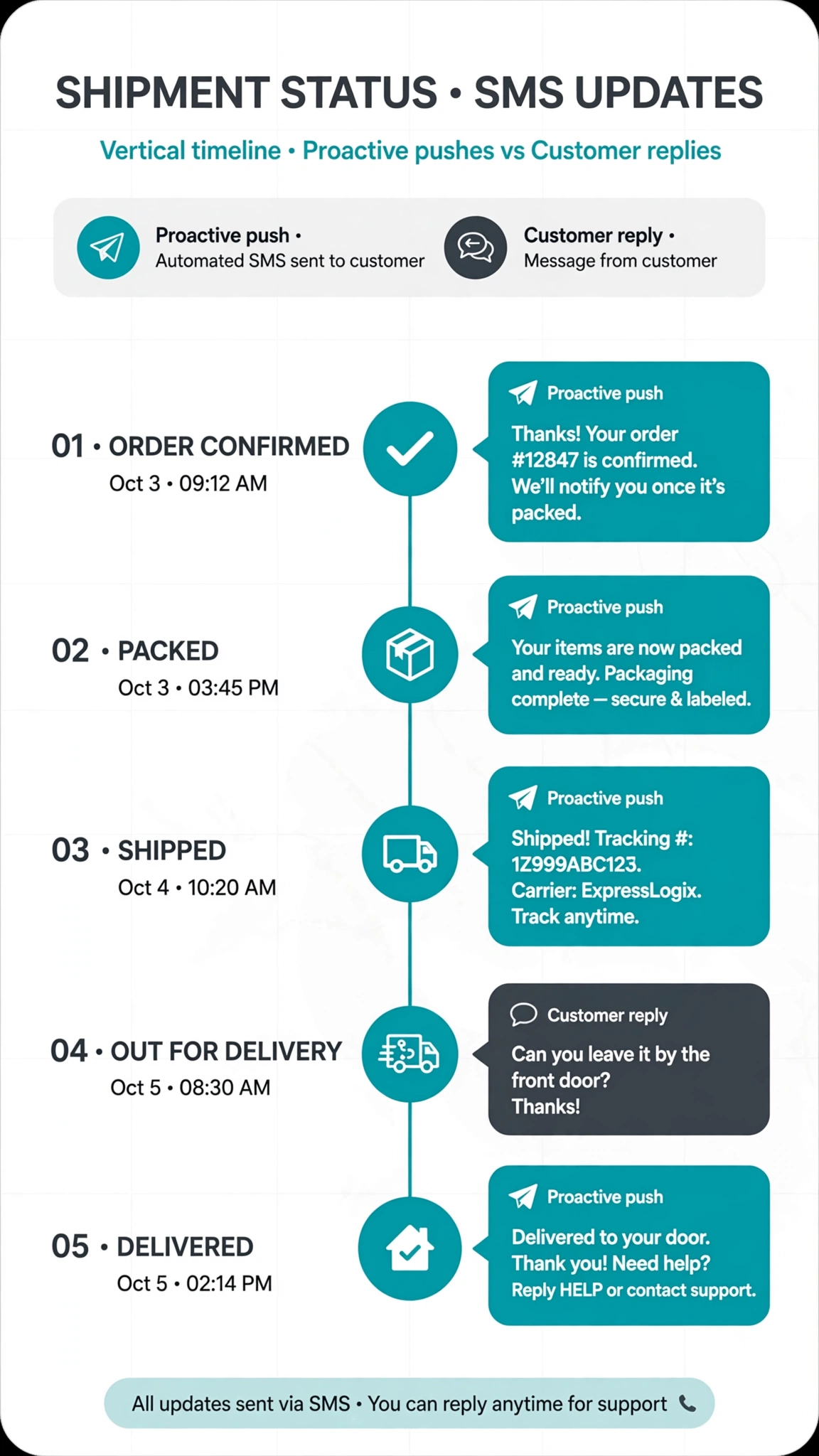
Use cases: sample message flows
Below are the five core tracking moments. Keep every text under 160 characters, since extra segments cost money and long texts get skimmed.
Order confirmation. Sent when payment clears. Always include the order number.
Store: Hi Maya, order #4821 from Northwind Outfitters is confirmed. 2 items, $64.90. We will text you when it ships. Reply TRACK anytime for status.
Shipped notification. The most important proactive text. Include the tracking link, because a customer who has the link will not email you.
Store: Order #4821 shipped via UPS. Track it: nwout.co/t/4821. Estimated delivery Thursday.
Out for delivery. Sent the morning the parcel goes on the delivery vehicle.
Store: Order #4821 is out for delivery and should arrive today. Track: nwout.co/t/4821
Delivered. Closes the loop.
Store: Delivered! Order #4821 arrived. Everything look right? Reply HELP if anything is missing.
Delayed. The text most stores skip, and the one that matters most for trust. A customer who hears about a delay from you stays calm. A customer who discovers it on a tracking page opens a ticket.
Store: Heads up, order #4821 is running 2 days behind. UPS now estimates Monday. We will text you when it is out for delivery. Sorry for the wait.
Proactive tracking texts at each shipment stage
The full sequence follows the life of the package: confirmation at purchase, shipped with the tracking link, out for delivery on the final day, delivered at completion, plus delay or exception texts whenever something goes off script.
First, do not text every micro-event. Carriers generate dozens of scans per parcel. Your customer needs five or six texts total, not twenty. Pick the milestones that change what the customer should do or feel.
Second, time your sends sensibly. If your store follows quiet hours rules, tracking texts should respect the same windows. Our SMS quiet hours checker shows when a send is allowed in a given state.
Third, keep the sender consistent. When texts arrive from rotating numbers, customers stop trusting them. Fourth, include an opt-out path in at least the first message and honor STOP replies immediately.
The conversational “track my order” keyword bot
This is the part that feels like a chatbot. A customer texts TRACK to your store’s number, and the bot replies with live order status. The wiring, in plain terms:
Step 1: the customer texts a keyword. Advertised in the confirmation text: “Reply TRACK anytime for status.”
Step 2: your SMS provider forwards the inbound message to a webhook. The provider makes an HTTP request to a URL you control, carrying the sender’s phone number and the message body.
Step 3: the bot matches the phone number to an order. It queries your order system by the phone number from checkout. One recent open order means it uses that one. Several means it asks which one.
Step 4: the bot pulls carrier tracking data. Your order system holds the tracking number. The bot passes it to your carrier data source and gets back the current status and estimated delivery.
Step 5: the bot replies in plain language. Not a raw carrier scan dump. It translates “in transit, arrived at sort facility” into something a person would say, plus the tracking link.
The flow in conceptual pseudocode:
on inbound_sms(from_number, message_text):
    if message_text contains "TRACK" or "STATUS" or "where is my order":
        orders = order_system.find_open_orders(phone=from_number)
        if orders is empty:
            reply("We could not find an open order for this number. "
                  "Reply with your order number and we will look it up.")
        elif orders has exactly one:
            status = carrier_data.get_status(orders[0].tracking_number)
            reply(f"Order {orders[0].id}: {status.summary}. "
                  f"Estimated delivery {status.eta}. Track: {orders[0].link}")
        else:
            reply("You have a few open orders. Reply with the order "
                  "number you want to check.")
    elif message_text contains "HELP" or "AGENT":
        escalate_to_human(from_number, conversation_history)
Because the lookup runs on the phone number from checkout, the customer never needs to remember their order number.
Fallbacks matter. If the order system is down, the bot should say so honestly and offer a human. If the tracking number has no scans yet, the bot should say the package is with the carrier but not yet scanned, and give the expected first-scan window. A bot that guesses is worse than a bot that admits a gap.
Deflecting “where is my order” tickets
WISMO inquiries are one of the largest single categories of ecommerce support volume. ShipStation, citing its customer support partners, puts WISMO at roughly 50 percent of tickets on a normal day and up to 70 percent during peak holiday shipping. eDesk, citing LateShipment.com data, reports 20 to 40 percent in a normal month and over 50 percent in peak.
What can a store realistically deflect? Edreamz Tech’s 2026 writeup cites early benchmarks suggesting 60 to 75 percent of WISMO tickets can be resolved without a human when the system has live order and carrier data with clear guardrails, removing roughly 25 to 35 percent of total support volume. That is a directional vendor benchmark, not a guarantee. Your results depend on data quality and your escalation path.
Avoid the deflection trap: resolving tickets without resolving the problem. A bot that pastes a tracking link and closes the ticket looks efficient in a dashboard. But if the tracking page shows a stale scan and the customer needed a replacement, you have manufactured a second ticket. Real deflection answers the actual question: has it shipped, where is it, is it late, is something wrong, and what happens next.
Measure deflection honestly. Count a ticket as deflected only when the customer does not contact support again about the same order within a few days.
Delay and exception handling flows
Delays and exceptions are where a tracking bot earns trust or loses it. A carrier exception covers a missed delivery attempt, an address problem, a package held at a facility, or a customs hold on an international order. These are the moments a customer is most likely to panic, and the moments a generic tracking link helps least.
Carrier delay. Text the customer before they notice. Name the new estimated date and promise the next update. Do not promise a date you cannot see in the carrier data.
Missed delivery attempt. Text within the hour with the carrier’s redelivery or pickup instructions, including the pickup location when available.
Address issue. When the carrier flags an address problem, text the customer immediately and ask them to confirm the address by reply. Route the reply to a human, since address corrections need a person to update the shipment.
Customs hold. For international orders, say the package is awaiting customs clearance, which is normal and can take a few days. Do not invent a clearance timeline.
Delivered but the customer says it never arrived. The hardest case. Acknowledge the delivery scan, suggest checking porches and mailrooms, then escalate to a human for a claim or replacement. Never let the bot argue about whether the package arrived.
Consent, opt-outs, and the compliance basics
Transactional tracking texts are messages the customer asked for by placing an order. In most checkouts, providing a phone number and completing a purchase counts as consent to receive order updates, which is why tracking texts have fewer compliance headaches than promotional campaigns.
The basics are still non-negotiable. Use clear checkout language saying order updates will arrive by text. Include opt-out instructions in your first message, something like “Reply STOP to end.” Honor STOP requests immediately and never text that number again. Keep records of consent and opt-outs. If you sell internationally or into India, check local rules, since India’s DLT registration requirements add steps the US framework does not have.
This is general information, not legal advice. Texting rules under the TCPA, CTIA guidelines, and carrier policies change, so confirm the current requirements for your market before you launch.
FAQ
What is an SMS chatbot for order tracking?
A text-message bot connected to your store’s order system and carrier tracking data. It sends proactive updates at each shipment stage and answers texts like TRACK with live order status. No app and no account login needed.
How does SMS order tracking work?
Your order system fires an event when something changes, like a label being created or a delivery scan landing, and that event triggers a text through your SMS provider. When a customer texts your number, an inbound webhook looks up their order by phone number, pulls the latest carrier status, and replies.
Can a chatbot really check my order status in real time?
Yes, if it has live data. It needs your order system for the tracking number and a carrier data source for the current status. A bot with both can answer accurately. A bot with only canned responses should escalate instead of guessing.
How do I set it up for my store?
The common path is an SMS provider plus your ecommerce platform. Shopify stores often use a chatbot or SMS app with tracking features, several of which pull live data straight from Shopify. WooCommerce stores use SMS plugins that fire per order status. You need three pieces: the phone number collected at checkout, order events wired to sends, and inbound keyword handling for replies. Keep every text near 160 characters, the single SMS segment, since longer texts split and each segment costs you. Our bulk SMS cost calculator can help you model the cost at your volume.
Do I need customer consent to send tracking texts?
Generally the purchase itself covers consent for transactional order updates, since the customer gave you their number at checkout. You still need clear checkout language, an opt-out path, and immediate STOP handling. Promotional texts are a separate category with stricter consent rules, so keep the two programs separated.
Can customers reply to tracking texts?
They should be able to. Two-way messaging is what turns notification blasts into a chatbot. At minimum, support TRACK or STATUS for status checks, HELP for a human, and STOP for opt-out. Advertise these keywords in your confirmation text.
Watch how this works in practice. This walkthrough covers the setup step by step:
Conclusion
An SMS chatbot for order tracking is two simple ideas working together. Text the customer before they worry, and answer when they ask. The proactive texts remove most of the reason to contact support. The keyword bot catches the rest by looking up real order and carrier data instead of pasting links and hoping.
Start with the confirmation and shipped texts, since those two carry most of the value. Add the TRACK keyword bot next. Then layer in delay and exception flows, where the system separates itself from a basic notification plugin. Measure deflection honestly, keep every text short, and always leave a path to a human. Do that and the most common question in ecommerce starts answering itself.
The free tools hub has calculators and checkers that pair well with an SMS program, including the quiet hours checker for timing your sends.
Want this set up for you?
I build SMS chatbots and API integrations for businesses. If you would like what this guide describes, done for you, get in touch.