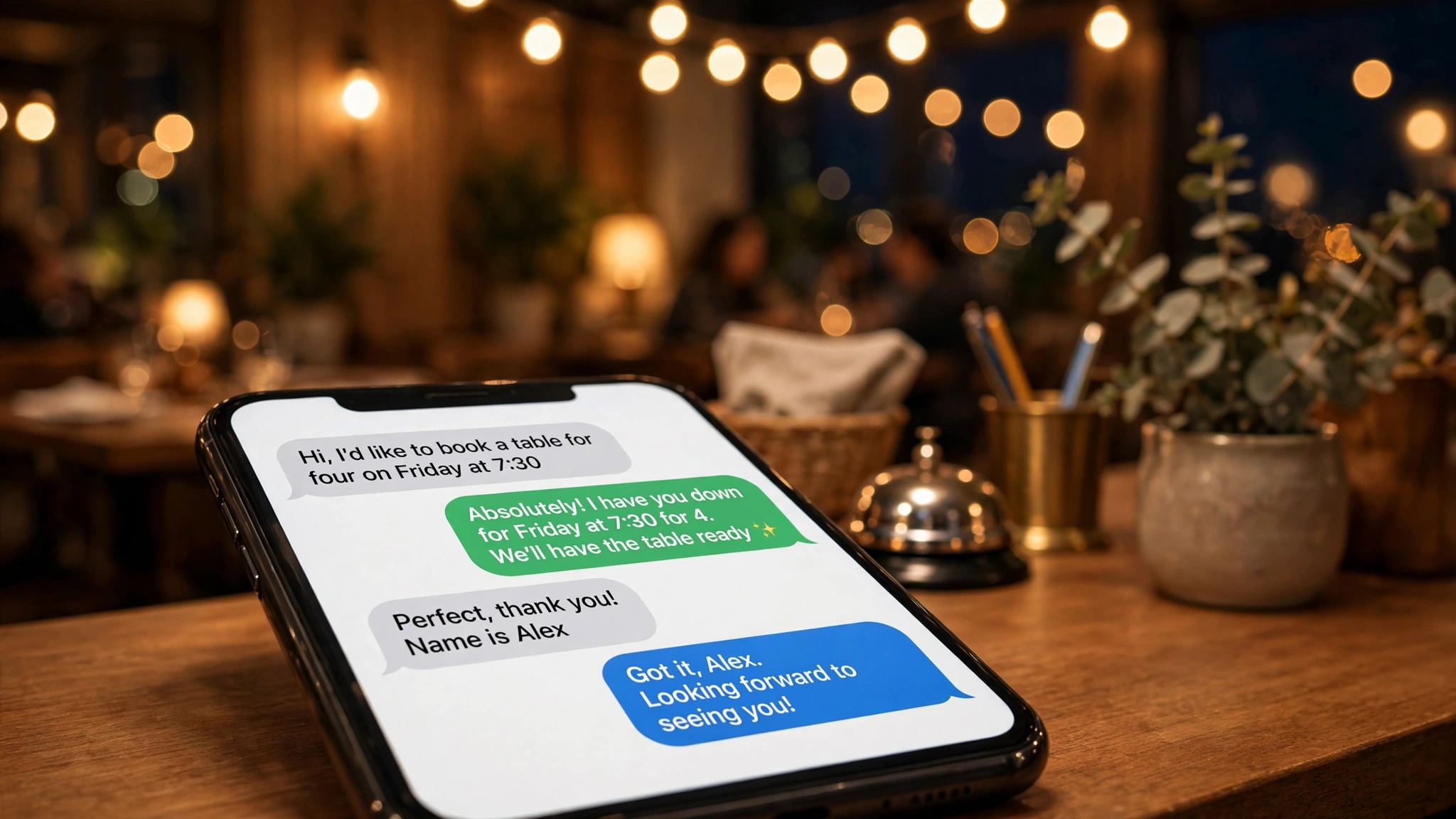
It is Friday at 6:45 and your host is doing three things at once. The phone is ringing with someone who wants a table for eight tomorrow. A couple at the door wants to know the wait. And table twelve just asked whether the risotto has dairy in it. Something has to give, and usually it is the phone call that never gets answered.
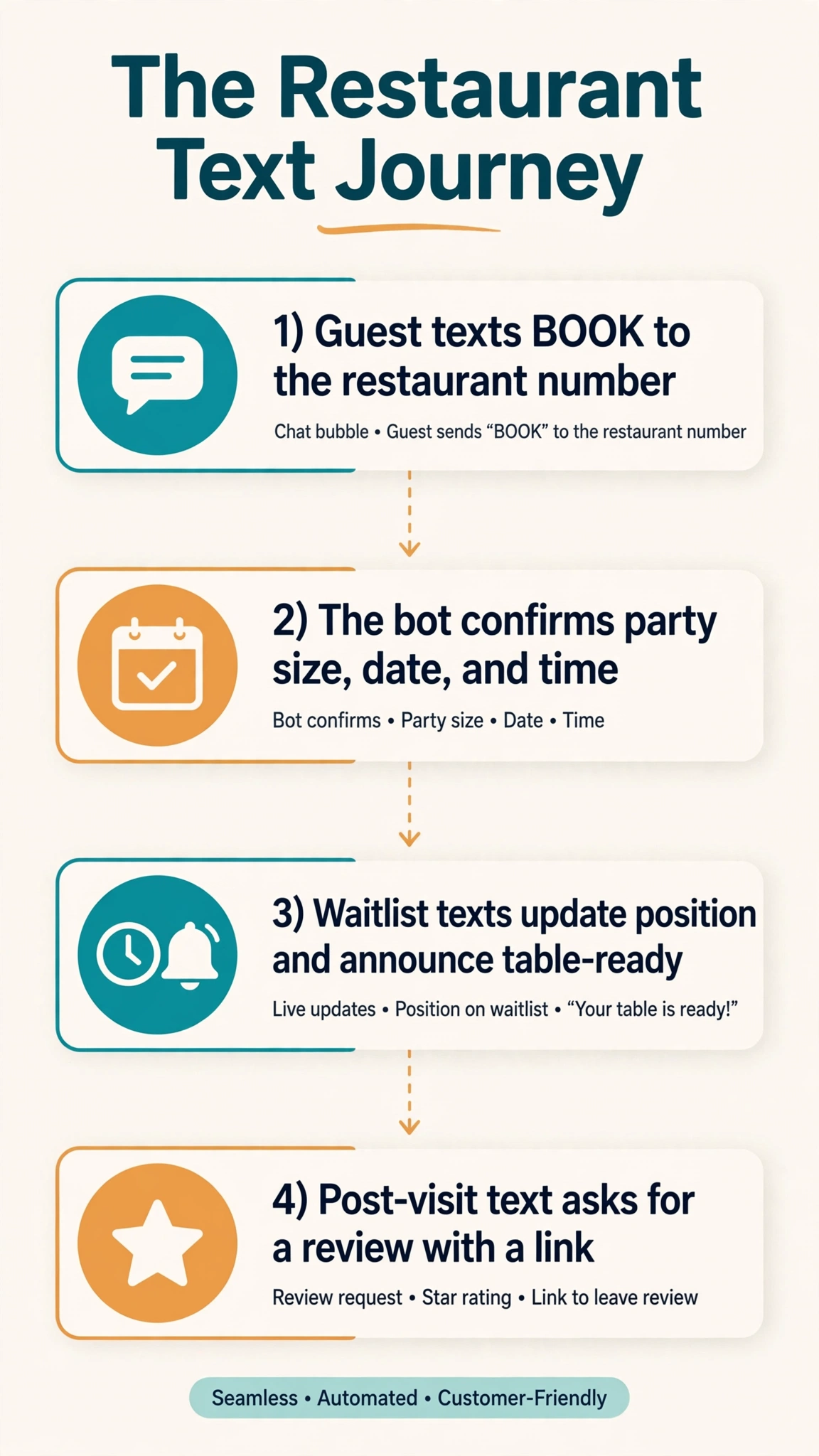
An SMS chatbot for restaurants exists for exactly this moment. It sits on your restaurant’s regular phone number and handles the predictable text conversations so your staff can handle the unpredictable ones. Guests can book a table, join the waitlist, ask what time you close, and leave a review, all by texting the same number they would call. No app to download. No website form to find.
What an SMS chatbot actually does
A quick distinction matters, because the term gets thrown around loosely. A blast tool sends one message to a thousand people. That is marketing. An SMS chatbot holds a back and forth conversation with one guest at a time. That is service.
The bot watches your restaurant number and responds to what the guest asks. “Table for 4 Friday” starts a reservation flow. “Hours” gets your hours. Modern versions use AI to understand natural wording, but simple keyword triggers still do most of the heavy lifting. When the bot cannot answer, it hands the conversation to a staff member instead of guessing. That handoff is what separates a tool your team trusts from one they switch off after a week.
Taking reservations over text
Most reservation calls arrive when nobody can pick up, and unanswered callers book somewhere else. A text based reservation flow catches them instead.
How the conversation goes
The bot needs four things: name, party size, date, and time. It collects them one at a time, then confirms:
Guest: Do you have a table for 4 this Friday?
Bot: Hi! We can help with that. What time works best for you on Friday?
Guest: Around 7:30
Bot: 7:30 works. And a name for the reservation?
Guest: Layla Haddad
Bot: Thanks Layla. Table for 4, this Friday at 7:30, under Layla Haddad. Reply YES to confirm or change anything now.
Guest: YES
Bot: You are confirmed. We will text you the day before as a reminder. See you Friday!
The confirmation and reminder sequence
The reservation is only half the value. The other half is cutting no-shows with a short message sequence after the booking.
Immediate confirmation.
Your table at [Restaurant] is confirmed: [Party size] on [Date] at [Time]. Need to change or cancel? Just reply to this text.
24 hour reminder, with an easy way to confirm. Guests who reply show up far more reliably than guests who stay silent.
Hi [Name], reminder: your table for [Party size] at [Restaurant] is tomorrow at [Time]. Reply C to confirm or R if you need to cancel.
Same day nudge, two hours before, only for guests who did not reply to the 24 hour reminder.
Quick heads up: your table at [Restaurant] is tonight at [Time]. See you soon. Reply R if your plans changed.
One more flow: the missed call text back. When a call rings out unanswered during service, the system texts the caller within a minute.
Hi! We missed your call at [Restaurant]. Looking to book a table? Reply here and we will take care of it.
Waitlist texts that keep guests from wandering off
Walk in traffic is great until the wait hits 40 minutes and the host stand becomes a crowd control problem. Text based waitlists let guests roam instead of hovering.
Joining the waitlist
Guests should be able to join three ways: at the host stand, by scanning a QR code on the door, or by texting a keyword like WAIT to your number. The first text they get must state their position and the honest wait time.
You are on the waitlist at [Restaurant] for a party of [Size]. About [X] minutes. We will text you here. Feel free to grab a coffee next door.
Position updates and the table ready alert
Update guests once, roughly halfway through the quoted wait. Then the important one: the table ready text.
Your table at [Restaurant] is almost ready. Please head back toward the host stand.
Your table at [Restaurant] is ready! Please check in at the host stand within [10] minutes so we can hold it for you.
Name a specific grace window, and mean it. If the policy is ten minutes, say ten minutes.
Filling last minute cancellations
Keep a short list of guests who left their number but could not be seated on a packed night. When a table cancels, text them first.
Hi [Name], a table for [Party size] just opened at [Restaurant] tonight at [Time]. Reply YES within 10 minutes and it is yours.
Match the party size and the time to people who actually asked for it. One targeted text beats a blast to the whole list.
Keyword auto-replies for hours, menu, location, and parking
Your staff answers the same questions every day. Keyword auto-replies handle them instantly, at midnight or mid rush. Set up one keyword per question and print the list on your menu, your door, and your Google listing.
HOURS. “We are open [Mon to Sat, 11 am to 10 pm, Sun 12 pm to 9 pm]. Kitchen closes 30 minutes before close.”
MENU. “Tonight’s menu: [link]. Text SPECIALS for today’s specials.” A link beats a wall of text in a message bubble.
LOCATION. “Find us at [address]. We are two doors down from [landmark].” Landmarks help more than street numbers.
PARKING. “Free parking in the lot behind the building, entrance on [Street].”
BOOK. Starts the reservation flow above.
WAIT. Starts the waitlist flow described above.
ORDER. “For takeout, text your order here or call [number]. Pickup is usually ready in [20] minutes.”
Every keyword reply should end with a path forward, not a dead end. “We are open until 10 pm. Text BOOK to reserve a table.” The fallback message must be honest: “I am not sure about that one. A team member will jump in shortly.” Then make sure someone actually jumps in.
Post-visit review requests that get answered
The best time to ask for a review is when the guest is still happy about the meal, and texting beats email because they see it the same evening.
When to send it
Send the review request 60 to 90 minutes after the meal ends. Earlier feels pushy, since they may still be at the table. The next morning, the glow has faded. If your system cannot detect when a guest leaves, send it 90 minutes after the reservation time.
The template
Keep it to two texts at most. Thank first, ask second, and make the link a single tap.
Thanks for dining with us tonight, [Name]! If you enjoyed your meal, a quick Google review would mean the world to our small team: [link]
One gentle follow up the next day at most. Then stop.
The consent part you cannot skip
Review requests and promotional texts are marketing messages, and marketing texts require the guest’s prior consent. Ask at the table or in the reservation flow: “Mind if we text you after your visit to see how everything was?” A yes covers the review request. A separate, explicit yes covers future promotions. Every promotional text needs a working opt out, usually “Reply STOP to unsubscribe.” This is general guidance, not legal advice, and rules differ by country.
Timing matters too. Do not send review requests or promos late at night or early in the morning. If you are unsure about the right window in your area, check our SMS quiet hours checker before scheduling sends.
What it costs and what to watch out for
Platform pricing varies too much to quote with any honesty. Some charge per message, some charge a monthly flat fee, and some bundle the chatbot with a reservation platform you may already pay for. Estimate your message volume before you sign anything: reservations, reminders, waitlist updates, and keyword replies add up fast. Our bulk SMS cost calculator can sanity check the per message math.
Verify three things with any vendor: it texts from your real restaurant number, a human can take over any conversation in seconds, and confirmed tables sync with your reservation book. Also ask about languages. If half your guests text in Spanish or Urdu, a bot that only understands English is a decoration.
Want this set up for you?
I build SMS chatbots and API integrations for businesses. If you would like what this guide describes, done for you, get in touch.
Frequently asked questions
How does an SMS chatbot for restaurants work?
It connects to your restaurant’s phone number and answers incoming texts automatically. The system figures out what the guest wants, a reservation, the hours, the menu, a spot on the waitlist, and responds conversationally. Staff can watch the threads and take over any conversation the bot cannot handle.
Can customers really book a table by texting?
Yes. The bot asks for name, party size, date, and time, then confirms by text. Good setups add a reminder the day before, and guests who get reminders show up more reliably.
How do waitlist text messages work?
Guests join by texting a keyword, scanning a QR code, or signing in at the host stand. They get their position and estimated wait, an update as the line moves, and a table ready alert with a grace window to arrive.
What keywords should my restaurant text bot respond to?
Start with HOURS, MENU, LOCATION, PARKING, BOOK, WAIT, and ORDER. Those cover the questions your staff answers on repeat. Add more only when your conversation logs show guests asking for something you have not covered.
When should I send a review request text?
About 60 to 90 minutes after the meal, while guests still feel good about the visit but have left the table. One thank you text with a review link, plus a single gentle nudge the next day at most.
Do customers need to opt in before I text them specials?
Yes. Promotional texts require prior consent, and every promo message needs a working opt out. Ask for permission at the table or during booking, and keep promotional consent separate from service messages like reservation confirmations. This is general information, not legal advice.
Can a text bot answer menu and allergy questions?
It answers from the menu you give it: ingredients, vegetarian and vegan options, gluten free dishes, kids menu items. It should never guess about allergens. If a guest asks something specific about an allergy and the answer is not in its data, it must hand off to a staff member immediately.
What happens when the bot cannot answer a question?
It gives a quick, honest fallback, tells the guest a team member will jump in, and flags the conversation for staff. Make sure whoever is on shift actually watches those flags.
The bottom line
An SMS chatbot will not replace your host. It replaces the phone ringing unanswered during the dinner rush, the guest who walks away from a long wait, and the happy customer who never leaves a review because nobody asked. Start with keywords (HOURS, MENU, LOCATION, PARKING, BOOK), add the reservation flow with a day before reminder, then waitlist texts and the review request. Read the conversation logs after a month and fix the questions the bot fumbled most. Browse our free SMS tools to pressure test send times and message costs before you commit to a platform.
Not legal advice: texting regulations on consent, opt outs, and quiet hours vary by jurisdiction. Check the rules where you operate before sending promotional messages.