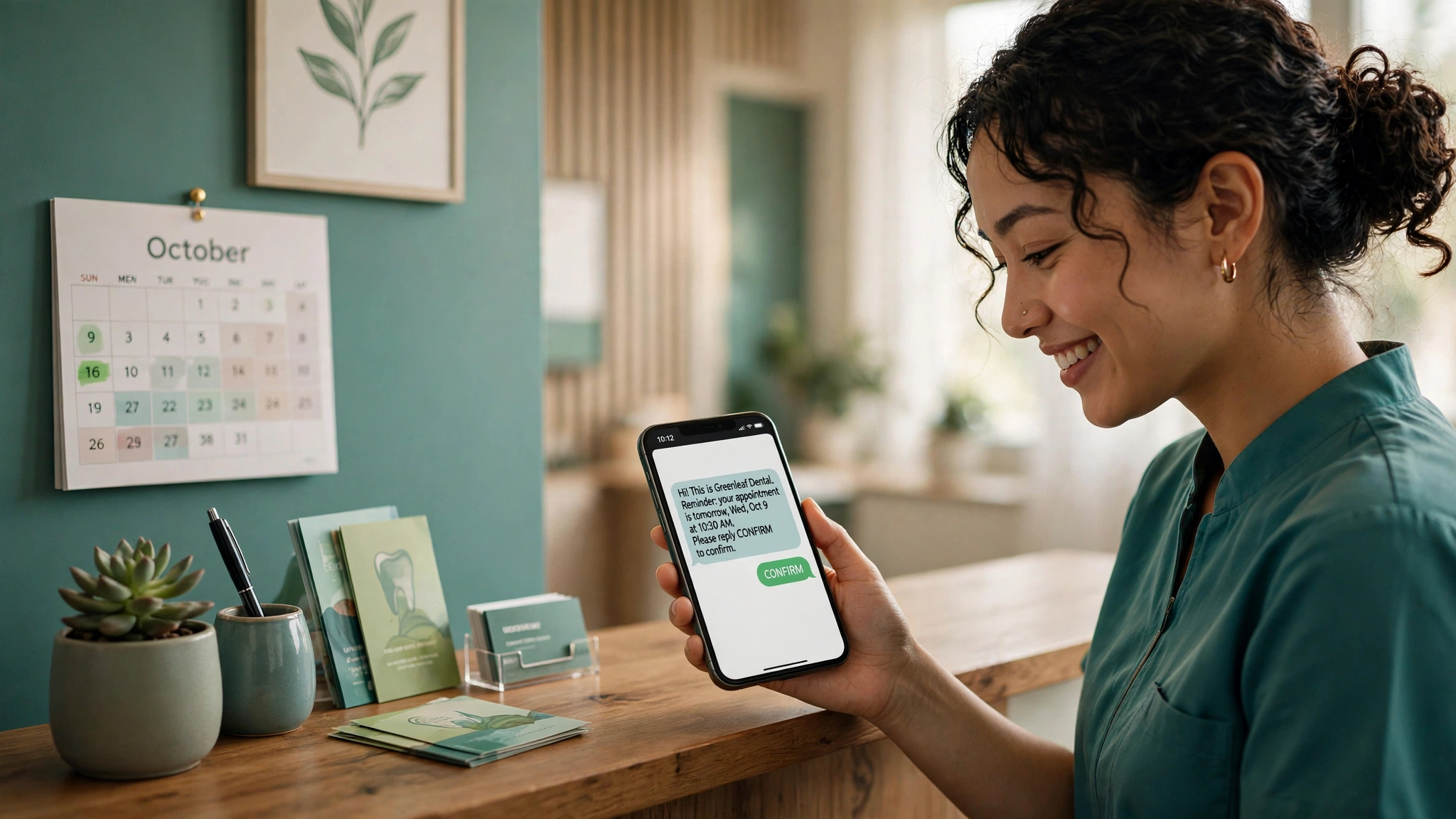
A plain appointment reminder tells someone when to show up. An AI SMS appointment reminder holds a conversation about it: the customer confirms, reschedules, cancels, or asks a question by replying to the same text. The system understands the reply, updates the booking, and goes quiet once they are confirmed. That is what turns a reminder into a no-show prevention tool.
This guide covers what conversational reminders actually do, with sample message flows from real businesses, research-backed timing tactics, and calendar integrations.
What makes an appointment reminder “AI”
A standard reminder is one way. It sends the date and time and ends there. If the customer needs to change anything, they have to call the office, which most people will not do. That is where no-shows quietly come from.
A conversational AI reminder accepts a reply in plain language and acts on it. The customer writes “can we move this to Thursday” instead of hunting for a booking link. The system checks availability, offers a new slot, and updates the calendar.
There are two levels. Keyword systems handle fixed replies like CONFIRM, CANCEL, or RESCHEDULE. AI-driven systems parse free text like “I might be 15 minutes late” or “do you have anything Friday morning”. Most good setups use both. Keywords catch the common cases instantly, and AI handles the rest.
Sample message flows from real businesses
Three realistic flows show how this works in practice.
Dental clinic: the confirmation flow
The reminder goes out, the patient confirms, and everything stops there.
Business: “Hi Priya, this is Bright Smile Dental. You have a cleaning with Dr. Rao on Tuesday, Sep 30 at 10:30 AM. Reply CONFIRM to keep your spot, or RESCHEDULE if you need a new time.”
Customer: “confirm”
Business: “You are confirmed for Tuesday, Sep 30 at 10:30 AM. Please arrive 10 minutes early with your insurance card. Reply CANCEL if your plans change.”
Salon: the reschedule flow
Salons live on tight books, so the reschedule flow matters as much as the confirmation flow. The AI version handles a free-text reply instead of forcing the customer into a link.
Business: “Hi Ayesha, Glow Studio here. Your haircut is booked for Friday, Oct 2 at 4:00 PM. Reply CONFIRM to lock it in. Need a new time? Reply with a day that works for you.”
Customer: “can I come Saturday morning instead”
Business: “Done. You are moved to Saturday, Oct 3 at 11:00 AM. Your old Friday slot is now free. See you then.”
Auto repair shop: the cancellation and waitlist flow
Cancellations will happen. The goal is to learn about them early enough to refill the slot.
Business: “Hi Omar, this is City Auto. Your brake inspection is tomorrow at 9:00 AM. Reply CONFIRM to confirm, or CANCEL if you cannot make it.”
Customer: “cancel”
Business: “Your appointment is canceled. Want a new time? Reply with a day that works, or book at cityauto.example/book.”
Business to waitlist customer: “Hi Sara, a 9:00 AM brake inspection slot opened for tomorrow. Reply YES to take it.”
Customer: “yes”
Business: “It is yours. See you tomorrow at 9:00 AM.”
How conversational handling works: confirm, reschedule, cancel
Three actions sit behind these flows, and each needs clear logic.
Confirm. Accept the obvious replies: CONFIRM, YES, OK, confirmed. Once the customer confirms, mark it confirmed in the calendar and suppress the remaining reminders. A second reminder to someone who already confirmed trains customers to ignore your messages.
Reschedule. Keyword systems reply with a booking link. AI systems offer times in the thread, book one, and confirm it. Either way, the reschedule must update the calendar event and reset the reminder schedule so the new time gets fresh reminders.
Cancel. A cancellation should do three things at once: free the slot, confirm the cancellation to the customer, and offer a rebooking path. Immediately ask the waitlist if one exists. Also stop all future reminders for that booking. Nothing erodes trust faster than a reminder for an appointment the customer already canceled.
Ambiguous replies. Customers write “maybe”, “not sure yet”, or “running late”. A good setup acknowledges the uncertainty and asks one clarifying question, like whether the customer wants to move the appointment or is just running a few minutes behind. When the intent stays unclear, it escalates to a human.
Reply keyword semantics matter. CONFIRM, CANCEL, and RESCHEDULE are booking commands. STOP is an opt-out command: stop all reminders for that customer and log it. Mixing up “cancel my appointment” with “cancel all texts” is a compliance failure.
No-show reduction tactics that actually work
Tactics that stack on top of the reminder itself.
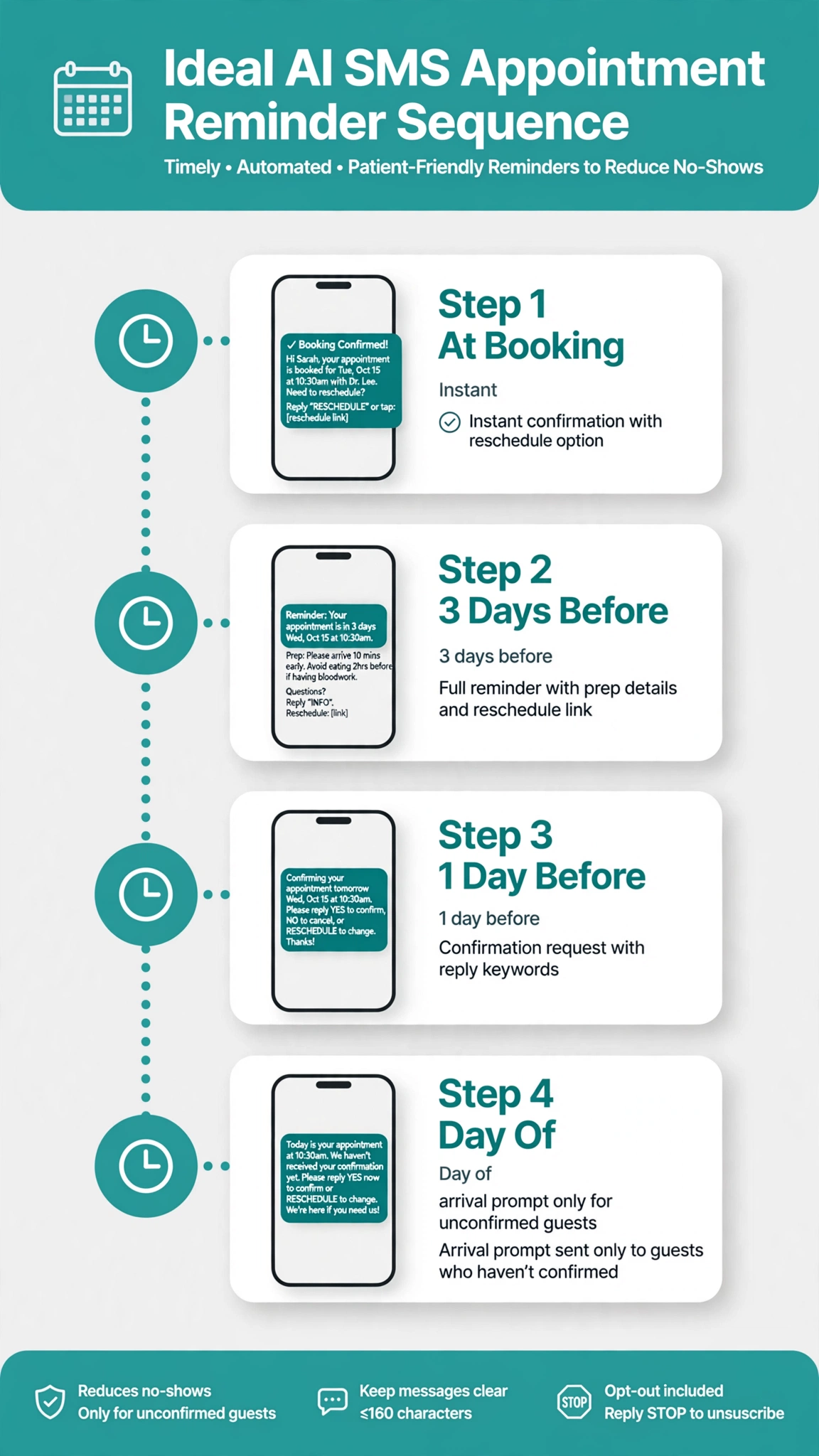
Send two reminders, not one. A randomized study of 54,066 patients found two reminders (3 days and 1 day before) cut missed appointments to 4.4 percent, versus 5.8 percent for one reminder at 3 days and 5.3 percent at 1 day. The early message exposes scheduling problems while there is time to fix them. The late one locks in attendance.
Ask for an explicit confirmation. Reminders that request a reply outperform passive announcements. Reply CONFIRM is enough, and it lets you suppress follow-ups for people who already confirmed.
Put the reschedule option in the first reminder, not the last. A customer who learns 24 hours out that the time no longer works faces an awkward phone call or a silent no-show. One who learns 3 days out with a reschedule path can move the appointment instead. One honest finding from a US government evaluation of 48 hour appointment texts: cancellations rose by 2.1 percentage points while no-shows fell by 1.6. An early cancellation is a slot you can refill. A no-show is not.
Run a waitlist and use it the same day. When someone cancels, offer the slot to the waitlist within minutes. Follow up with no-shows too: “We missed you today. Would you like to rebook? Reply with a day that works.” Some no-shows are emergencies, and the follow-up separates those from the ones you can recover.
Consider deposits for high no-show services. Some salon platforms pair reminders with deposits taken at booking, which gives the customer a financial reason to show up or cancel early while there is still time.
Personalize the details that matter. Name, service, staff name, location, and prep instructions all belong in the reminder. “Your cleaning with Dr. Rao” beats “your appointment”. Prep details prevent the no-show where the customer forgot to bring documents or arrange a ride.
Check send times with the SMS quiet hours checker so reminders land inside legal texting hours, and estimate per-message spend with the bulk SMS cost calculator.
Calendar integrations
The booking source, the reminder engine, and the calendar have to stay in sync in both directions, because a reschedule agreed over text must appear on the real calendar.
Google Calendar. A Workspace Marketplace add-on called SMS Reminder for Google Calendar sends texts directly from your calendar events. The template pulls the appointment title, date, and time automatically, and clients can confirm, cancel, or reschedule by text. Replies update events in real time with color coding, and a limited free tier is available.
Calendly. Calendly sends SMS reminders through Workflows on paid plans (reportedly Standard, Teams, and Enterprise), with roughly a 180 character limit and an invitee opt-in requirement. One reported limitation: replies are not monitored natively, so pair Calendly with a two-way SMS platform through Zapier if you want conversational replies.
Other schedulers and custom setups. Acuity, Cal.com, YouCanBookMe, and practice management systems like Dentrix or Open Dental have their own reminder features or connect through Zapier and webhooks. The pattern is the same: the booking triggers the sequence, replies flow back through a two-way SMS number, and the calendar is the source of truth everything syncs against.
Whatever you connect, test the reschedule loop end to end before going live. Book a test appointment, reply to the reminder, and confirm the calendar shows the new time and the reminder sequence reset. The integration that fails is almost always the return trip.
Consent, timing, and opt-outs
Appointment reminders require consent. In the US they are generally treated as informational messages, which rely on prior express consent: the ordinary “yes, you can text me” captured at booking or intake. Promotional content tacked onto a reminder needs stricter prior express written consent, so keep marketing in separate messages with separate consent.
Three practices cover most of the risk:
- Capture consent clearly at booking. A checkbox or intake-form line that says the customer agrees to receive appointment reminders by text. Store the record.
- Honor opt-outs promptly. Include STOP instructions in the first message, and process stop requests within 10 business days per the FCC consent revocation rules that took effect in April 2025.
- Respect quiet hours. Many states restrict automated texts to certain hours. Sending a text at 2 AM is bad practice regardless of the letter of the law.
This is a summary, not legal advice. Have counsel review your consent flow against current TCPA and state rules.
FAQ
How effective are SMS appointment reminders at reducing no-shows?
Reported reductions run 30 to 50 percent versus no reminder sequence at all, with one cited review finding 38 percent for SMS. Results vary by industry. Reminders that request a confirmation reply beat passive announcements.
How far in advance should I send appointment reminders?
Two reminders beat one: the first 2 to 3 days before and the second 1 day before or the morning of. A large randomized study found that cadence beat either single reminder. The early message surfaces scheduling problems early enough to fix. The late one locks in attendance.
Can customers confirm, reschedule, or cancel by replying to the text?
Yes, with the right setup. Keyword systems handle CONFIRM, CANCEL, and RESCHEDULE. AI-driven systems also handle free-text replies like “can we do Thursday instead”, checking availability and updating the booking. Check whether your platform monitors replies or you need a two-way SMS tool.
What is the difference between a standard reminder and a conversational AI reminder?
A standard reminder sends information one way, so any change requires a phone call. A conversational reminder accepts a reply in the customer’s own words and responds usefully: confirming, offering new times, or routing to a human. It catches customers who would otherwise silently no-show.
How do AI reminders handle ambiguous replies?
Good systems ask one clarifying question, like whether the customer wants to move the appointment or is just running late. When the intent stays unclear, they escalate to a human instead of guessing.
Do I need consent to send appointment reminder texts?
Generally yes. Informational reminders rely on prior express consent, captured at booking or check-in. Keep content purely about the appointment, include STOP instructions, and process opt-outs promptly. This is not legal advice.
How do reminders connect with Google Calendar or Calendly?
A Workspace add-on sends texts from Google Calendar events and updates them when customers reply. Calendly sends SMS through Workflows on paid plans, though replies are not monitored natively, so many businesses add a two-way SMS platform through Zapier. The calendar stays the source of truth.
What should I do when someone cancels by text?
Confirm the cancellation, free the slot, offer a rebooking path, and stop future reminders for that booking. Offer waitlisted customers the slot within minutes. Treat STOP as an opt-out from texts, not as an appointment cancellation.
Conclusion
AI SMS appointment reminders remove the phone call from the equation. Customers confirm with one word, reschedule in the thread, and cancel early enough for you to refill the slot. The pieces that make it work: two well-timed reminders, an explicit confirmation ask, a reschedule path in the first message, a waitlist for cancellations, and a calendar integration that syncs in both directions.
For related tooling, see the free tools hub.
Want this set up for you?
I build SMS chatbots and API integrations for businesses. If you would like what this guide describes, done for you, get in touch.