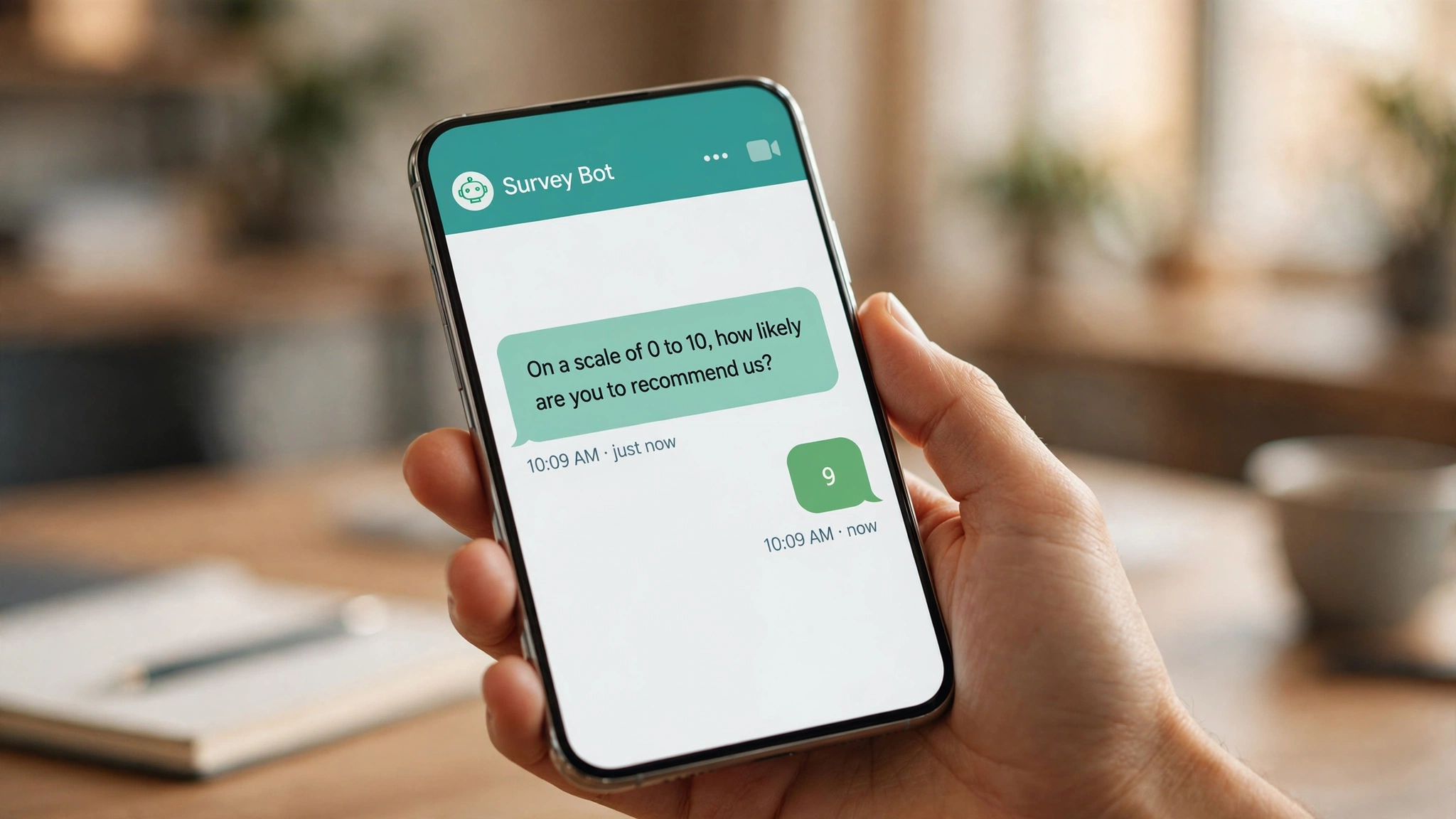
An SMS survey chatbot asks your questions one at a time as text messages. The customer answers by replying, and the bot records every answer. No links, no apps, no web forms.
Most customers will not click a link and fill out a grid of radio buttons on a phone. Many will answer a short text that arrived while they are already looking at it. If you collect feedback at any real volume, that difference is the whole game.
This guide covers how an SMS survey chatbot works, how to design the one-question-at-a-time flow, which question types survive in a short text message, what response rates to expect compared with email, and how to pipe answers into your CRM. It finishes with consent and opt-out handling.
How an SMS Survey Chatbot Works
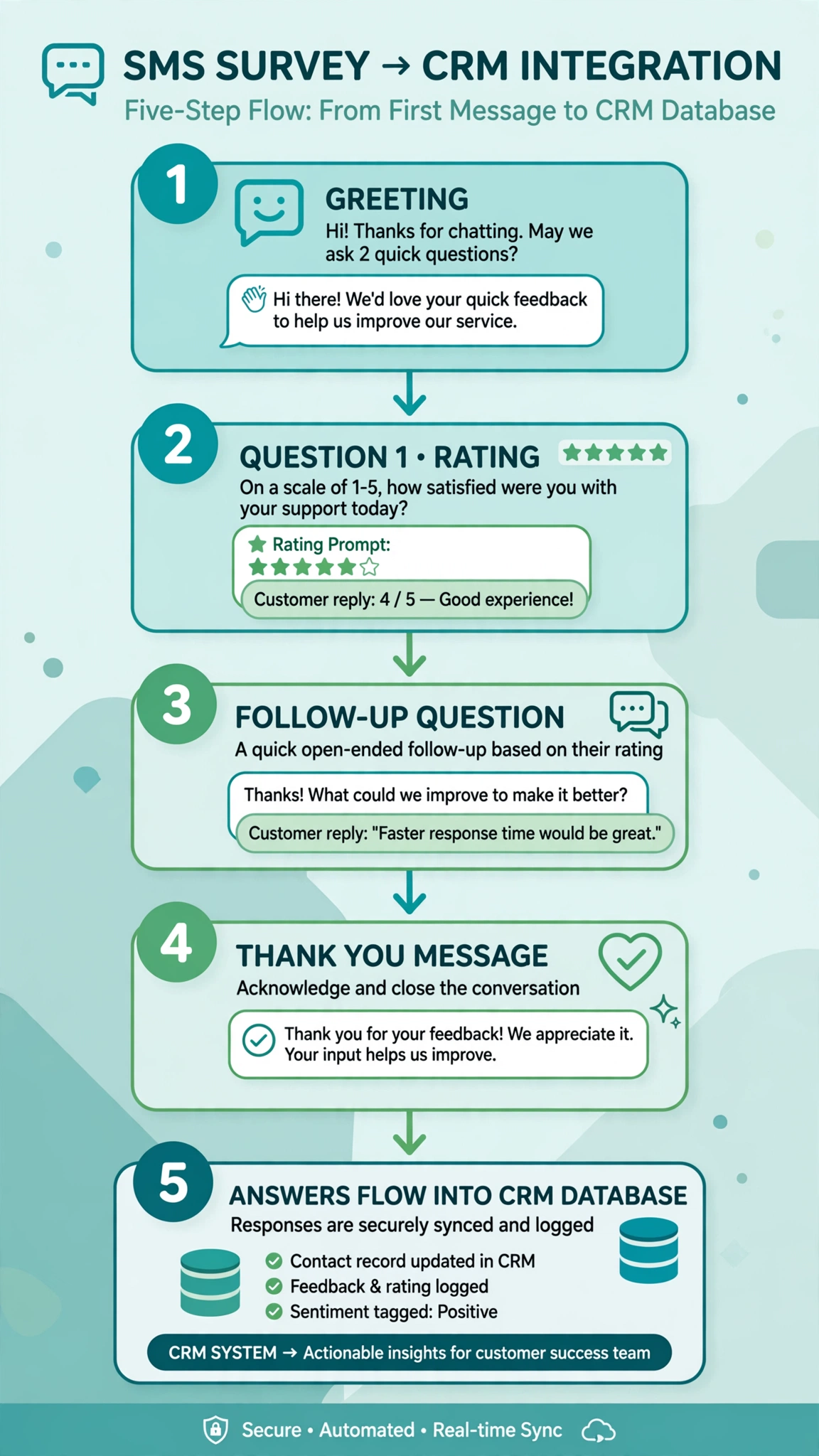
You pick a trigger, the bot sends the first question, and the conversation continues until the survey is done. The trigger can be a completed purchase, a closed support ticket, an event ending, or a keyword the customer texts in. The bot validates each reply and ends the exchange with a thank you.
Salesmsg describes its survey product this way: contacts reply to a text with a single number, and the platform collects and validates replies, follows up with contacts who have not answered, and shows results in one place. Keep the whole survey inside the text thread instead of texting a link to a web form, because every extra step loses people.
Survey Chatbot Use Cases With Sample Flows
Four common use cases, with realistic flows. Every question fits in a single message.
Post Purchase CSAT
Two or three days after delivery, the bot asks how satisfied the customer is. This is a customer satisfaction (CSAT) survey tied to one transaction.
Bot: Hi Dana, this is Northwind Gear. Your order from Tuesday has been delivered. How satisfied are you with it? Reply 1 for not satisfied up to 5 for very satisfied.
Dana: 4
Bot: Glad to hear it. Thanks for the feedback, Dana.
NPS Over Text
Net Promoter Score is almost perfect for SMS. It is one question with a numeric answer: “On a scale of 0 to 10, how likely are you to recommend us to a friend or colleague?”
Bot: Hi Marcus, thanks for being a Brightline customer this year. Quick one: on a scale of 0 to 10, how likely are you to recommend us to a friend? Just reply with a number.
Marcus: 8
Bot: Appreciate it. Thanks for taking the time.
The bot sorts respondents into promoters, passives, and detractors by their 0 to 10 score. A detractor should trigger a human follow-up rather than a canned message.
Service and Support Feedback
After a support interaction closes, a short survey while the experience is fresh gives the most honest answers.
Bot: Hi Priya, this is Helpdesk at Harborline. Your ticket about the invoice issue was closed today. How would you rate the support you received? Reply 1 to 5, with 5 being the best.
Priya: 2
Bot: Sorry to hear that. What could we have done better? Reply in a short message.
Priya: They kept asking for info I already gave
Bot: That is useful to know, and we are looking into it. Thanks for telling us.
Low scores ask for specifics so the team can fix the problem. High scores could ask for a review instead.
Event Feedback
For a webinar or workshop, attendance is freshest right after it ends. A survey sent within an hour gets far better recall than one sent the next day.
Bot: Hi Lena, thanks for joining our spring workshop today. On a scale of 1 to 5, how useful was the session? Would you come to a follow-up session? Reply YES or NO after your rating, like 5 YES.
Lena: 5 YES
Bot: We will save you a spot. Thanks for coming today.
That second answer doubles as a warm lead signal.
Designing the One Question at a Time Flow
One question per message, always. The bot sends one question, waits for the reply, validates it, and only then sends the next. Bundling two questions into one message confuses the parser and the person. If someone answers “yes” to a two question message, you have no idea which question they meant.
Keep surveys short. Three to five questions is the practical ceiling for a voluntary SMS survey, and one is often enough. NPS needs one. CSAT needs one. If you catch yourself designing a six question text survey, cut questions or move them to email.
Spell out the answer format every time. “Reply 1 to 5” or “Just reply with a number” removes all ambiguity. Personalize the opening with the customer’s name and the reason you are asking. “Hi Dana, how satisfied are you with the headphones you ordered Tuesday?” signals the survey is about something real, and that context raises response rates.
Handle wrong answers gracefully. People will answer “yes” to a 1 to 5 question or reply to the wrong question. The bot should ask again once, repeating the format, without scolding. After two failed attempts it should move on. A bot that loops “please reply with a number” forever is how people learn to block your number.
Give every path an exit. Include a way out in the first message and respect it instantly. Replying STOP, SKIP, or DONE to end the survey is the common pattern. Salesforce’s MobileConnect survey setup treats opt-out keywords as a first-class part of the survey configuration.
Question Types That Work Over Text
The question types that survive SMS share one trait. The answer is short and unambiguous.
Rating scales, 1 to 5 or 0 to 10. The best fit for the channel. One number, no explanation needed. Always label what the ends mean, at least the first time.
Yes or no. Works well as a second or third question, though it is coarser than a scale.
Multiple choice with short options. Keep the list to three or four numbered options. “What brought you in today? Reply 1 for the sale, 2 for the new arrivals, 3 for something else.” Long option lists break over multiple messages and get ignored.
Short open text. Use sparingly, make it optional, and say so. “Reply in one short message, or type SKIP.” Most people will skip it.
What to avoid. Ranking questions, matrix grids, anything that needs more than one message to read, and questions that need the customer to remember details from long ago.
Response Rates: SMS vs Email
There is no universal SMS survey response rate, but the available benchmarks point the same way.
TextUs published its 2026 SMS Engagement Benchmark Report based on responses from 763 professionals. It found an average 1:1 SMS response rate of 34.7 percent compared with 8.5 percent for outreach email, with top-quartile SMS programs above 56 percent. That study covers business SMS broadly, not surveys specifically. Treat it as context for how much attention SMS commands, not as a survey promise.
Responsly’s survey-specific benchmark table is more directly useful. They measured response rates against delivered invitations and found a median of 5.2 percent for email with a survey link, 14.1 percent for email with the first question embedded, and 7.6 percent for SMS answered by message. Their analysis of why WhatsApp beats SMS is worth noting. A plain text from an unknown short code reads as spam before it reads as a survey, while a WhatsApp business message arrives with a name, logo, and verified profile. Sender identity matters as much as channel.
The pattern across sources is consistent. SMS surveys typically outperform plain email link surveys, they do not always beat well-designed email with an embedded first question, and WhatsApp can beat both when the audience uses it. Your own numbers will depend on consent quality, timing, survey length, and how recognizable your sender identity is.
Piping Survey Answers Into Your CRM
A survey whose answers live only in your messaging platform is a report nobody reads. The value comes from pushing every answer into your CRM, attached to the right contact.
Native integrations. Many survey and messaging platforms ship one-click integrations with HubSpot, Salesforce, and similar CRMs. These can trigger a survey from a CRM event and push answers back as contact fields or timeline notes. If your platform has one for your CRM, start there.
Webhooks. When there is no native integration, webhooks are the standard plumbing. Your survey platform fires an HTTP request to a URL you control every time something happens: survey started, question answered, survey completed. Your endpoint receives the answers as JSON and writes them to your CRM through its API. Every platform names its fields differently, so check your own provider’s webhook documentation for the exact payload shape.
Automation tools. If you do not want to run a server, no-code automation tools connect messaging platforms to CRMs. The survey platform fires a webhook, the automation tool catches it, and a prebuilt step writes the answer to the CRM. This is the fastest route for a small team, though per-task pricing can add up at high volumes.
Act on the answers. A detractor score should create a task for the account owner to follow up within a day. A promoter score can trigger a review request, but only if you hold separate marketing consent. Do not mix survey consent with marketing consent.
Consent, Opt-Outs, and the Rules
Survey texts are still regulated texts. In the US, you need prior express consent before sending survey messages to a mobile number, and the standard opt-out keywords like STOP must work immediately and be honored. Include opt-out language in your first message, something like “Reply STOP to end this survey.” Do not buy a phone number list and start surveying it. Consent for marketing messages is separate from consent for surveys, and neither transfers to the other. This is not legal advice, so check with someone qualified before you launch at scale. Our SMS quiet hours checker helps you see when texting is allowed in each US state before you schedule anything.
Frequently Asked Questions
What is an SMS survey chatbot?
It is an automated system that conducts surveys through text messages. It sends one question at a time, the customer replies in the same thread, and the bot validates and records each answer.
How many questions should an SMS survey have?
Three to five at most, and one is often enough. NPS needs one question. CSAT needs one.
What question types work best over text?
Rating scales like 1 to 5 or 0 to 10, yes or no questions, short multiple choice with three or four numbered options, and optional short open text.
Do I need consent to send survey texts?
Yes. You need prior express consent before texting a survey to a mobile number, and you must honor opt-out requests like STOP immediately. Marketing consent and survey consent are separate. This is not legal advice, so confirm the details with someone qualified.
How do survey answers get into my CRM?
Through a native integration if your platform has one, through webhooks that post each answer to an endpoint you control, or through a no-code automation tool that catches the webhook and writes it to the CRM. Match answers to contacts by phone number.
Conclusion
Start with one trigger, one question, and one audience. A post-purchase CSAT or a post-ticket support survey is the ideal first test. Measure your own response rate, tighten the wording, and only then expand to more questions and more touchpoints. If you are exploring more automated text conversations, browse our free tools hub for related utilities like cost and compliance checkers.
Want this set up for you?
I build SMS chatbots and API integrations for businesses. If you would like what this guide describes, done for you, get in touch.