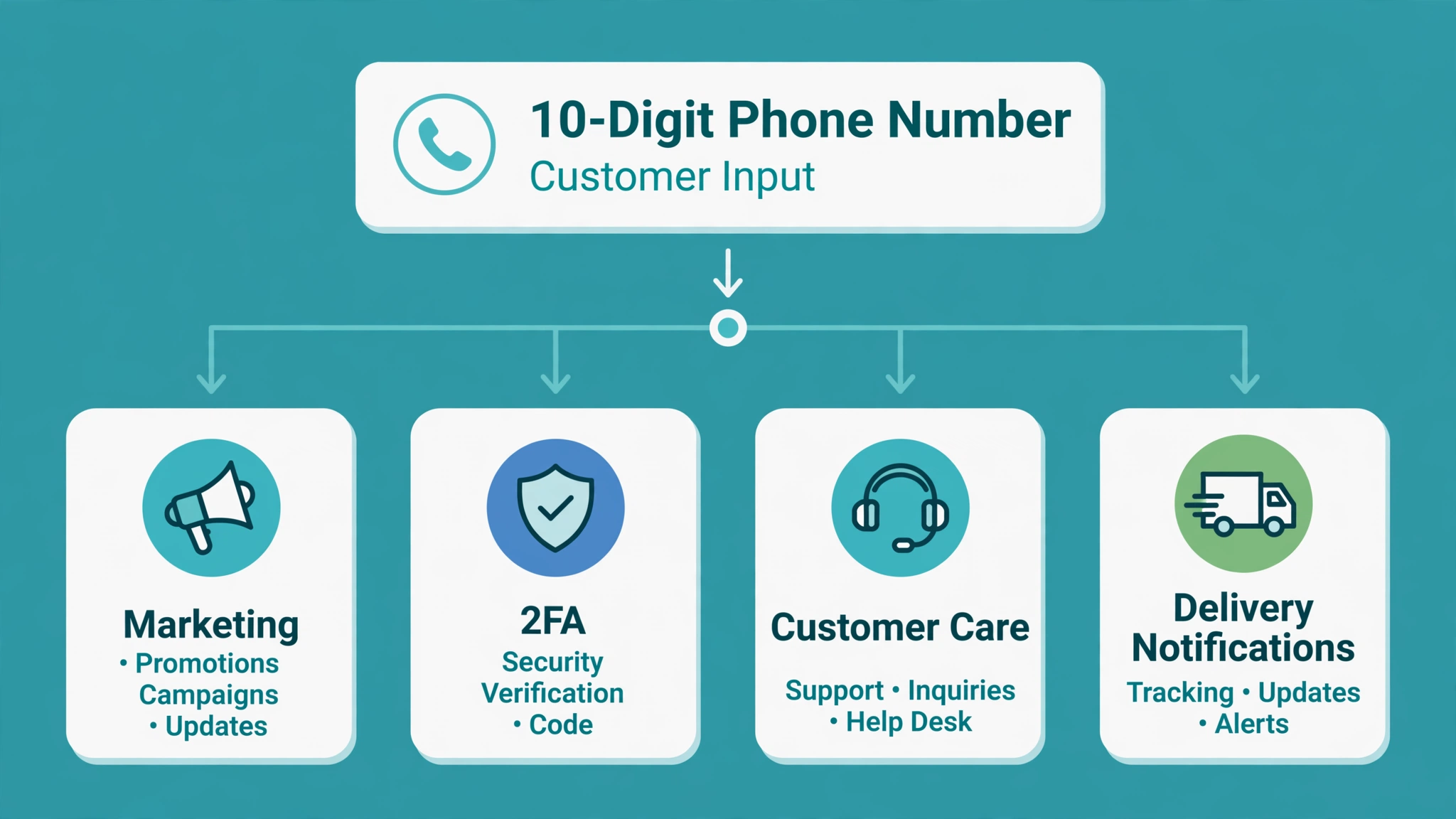
When you register a 10DLC campaign, The Campaign Registry (TCR) makes you pick a campaign use case. It looks like a minor dropdown choice, but a wrong pick is one of the most common reasons campaigns get rejected. Carriers compare your chosen use case against your sample messages, opt-in method, and website. When those do not line up, you start over. This guide maps 12 common messaging scenarios to the right use case, with sample templates written to pass vetting.
Use cases come in two buckets:
- Standard use cases are open to regular businesses: 2FA, Account Notifications, Customer Care, Delivery Notifications, Fraud Alert Messaging, Higher Education, Low Volume Mixed, Marketing, Mixed, Polling and Voting, Public Service Announcement, and Security Alert.
- Special use cases carry extra requirements and manual review: Charity, Emergency, K-12 Education, Political, Sweepstakes, Agents and Franchises, and a few others. Some are restricted to specific organization types, like registered nonprofits or government entities.
The honest rule: pick the narrowest use case that describes most of your traffic. Only use Mixed when you genuinely need more than one.
What reviewers actually check
- Samples must match the use case. A Marketing campaign with OTP-only samples, or a 2FA campaign with promotional copy, is a classic rejection.
- Every sample needs your brand name.
- At least one sample must show opt-out language (STOP, END, UNSUBSCRIBE, or CANCEL), and the opt-out reply must say the user will receive no more messages.
- The opt-in must be verifiable on a public page of your website, not behind a login.
- The privacy policy needs the carrier-required clause stating mobile information and SMS consent are not shared with third parties for marketing.
- No public URL shorteners. Bit.ly and tinyURL links in samples get rejected. Use your own domain.
- No banned content, on messages or website: SHAFT-C content (sex, hate, alcohol, firearms, tobacco, cannabis), lead generation or affiliate marketing, high-risk financial services, debt relief, gambling, and fraud.
The 12-scenario map
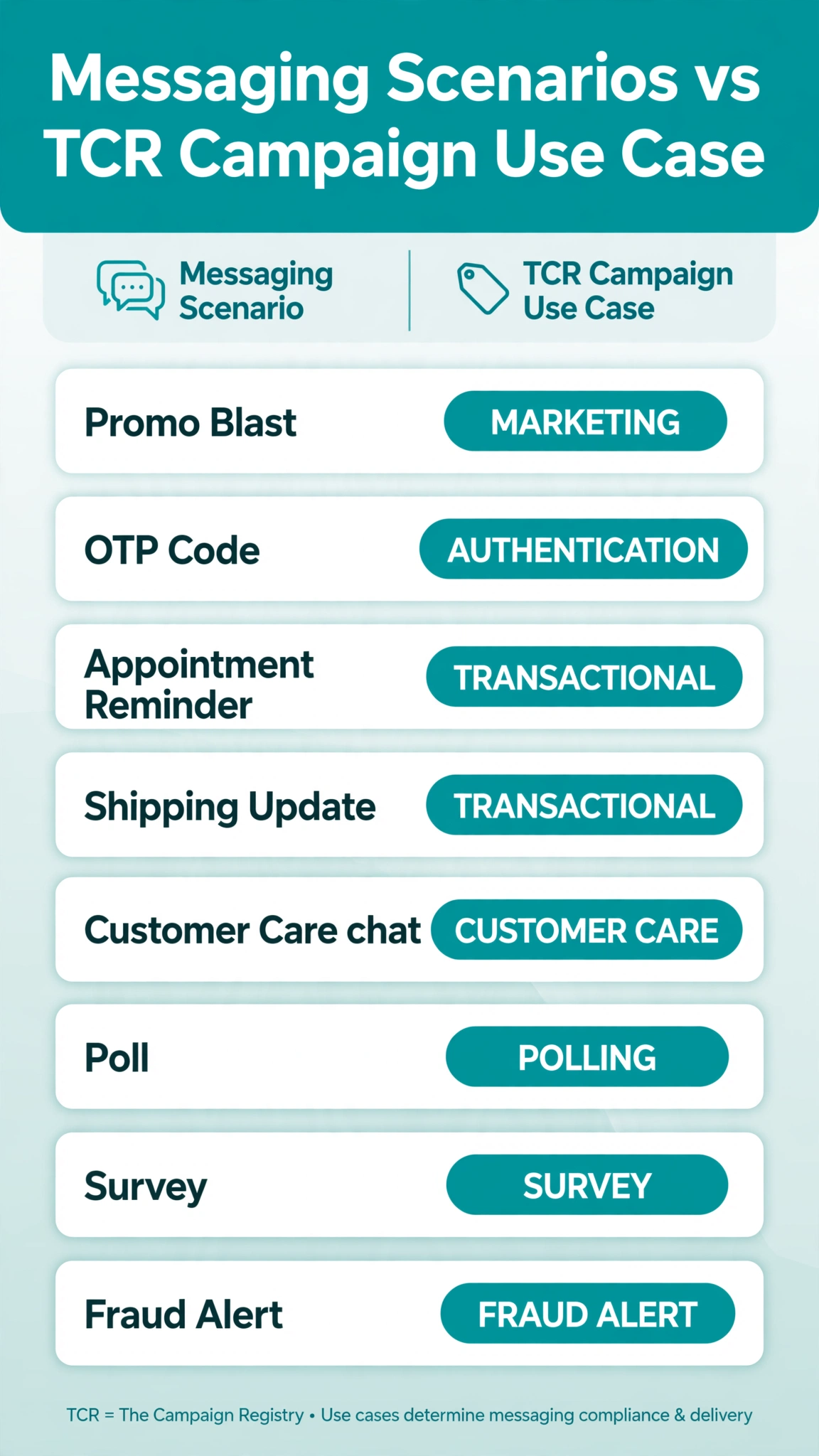
1. Flash sale texts and promo blasts: Marketing
A clothing store texts subscribers about a weekend sale. Marketing fits when messages are promotional, and it faces the strictest review because promotional traffic generates the most complaints.
- “Bright Thread: Weekend sale starts Friday, 30% off all denim. brightthread.com/sale. Reply STOP to unsubscribe.”
- “Bright Thread: New arrivals just dropped. Preview them: brightthread.com/new. Reply STOP to opt out.”
Tip: pair Marketing with a clear keyword opt-in, like “Text SALE to 55501”, and show reviewers that opt-in flow.
2. Login and transaction codes: 2FA
A banking app sends one-time passcodes at login. 2FA covers any authentication passcode and is one of the simplest campaigns to get approved because the content is entirely transactional.
- “Bright Bank: Your verification code is 482913. It expires in 10 minutes. Reply STOP to unsubscribe.”
- “Bright Bank: Your one-time passcode is 771204. Never share this code. Reply STOP to unsubscribe.”
Tip: never sneak promotional lines into a 2FA campaign. Even one sales sentence can trigger a use-case mismatch.
3. Appointment and booking reminders: Customer Care
A dental office reminds patients of appointments and offers rescheduling. Customer Care covers service conversations tied to an existing customer relationship, not cold outreach.
- “Smile Dental: Appointment Tue, Oct 6 at 3:00 PM. Reply YES to confirm or NO to reschedule. Reply STOP to unsubscribe.”
- “Smile Dental: Confirmed for Oct 6 at 3:00 PM. Reply HELP for help. Reply STOP to unsubscribe.”
Tip: if you also send promotions from the same number, register a Mixed campaign (see scenario 12) instead of filing everything under Customer Care.
4. Order and shipping updates: Delivery Notifications
An online store sends tracking updates: shipped, out-for-delivery, delivered, and pickup-ready alerts.
- “Bright Thread: Order 89412 has shipped. Track it: brightthread.com/track/89412. Reply STOP to unsubscribe.”
- “Bright Thread: Your package arrives today between 2 and 5 PM. Reply STOP to unsubscribe.”
Tip: delivery campaigns approve quickly, but keep tracking links on your own domain, never a public shortener.
5. Balance and account status updates: Account Notifications
A utility company notifies customers when the bill is ready and when payment posts. This covers bill-ready, payment-received, and plan-change messages. Nothing in the message sells anything.
- “City Power: Your October bill of $86.40 is ready. Pay by Oct 25 at citypower.com/pay. Reply STOP to unsubscribe.”
- “City Power: We received your payment of $86.40. Thank you. Reply STOP to unsubscribe.”
Tip: a “bill ready” message with a promotional upsell stops being an account notification. Keep it informational.
6. Suspicious activity warnings: Fraud Alert Messaging
A bank texts a cardholder about a charge in another country. This use case is reserved for fraud warnings: unfamiliar charges, new-device logins, and spending alerts.
- “Bright Bank: Did you spend $312.44 in Toronto? Reply YES to confirm or NO to freeze your card. Reply STOP to unsubscribe.”
- “Bright Bank: Login attempt from a new device. If this was not you, call 555-0100. Reply STOP to unsubscribe.”
Tip: fraud alerts and 2FA are different use cases. If you send both, register separate campaigns under one brand or combine them in a Mixed campaign.
7. Two-way support conversations: Customer Care
A software company answers customer questions by text after a support request. Conversational support, the back-and-forth after a customer asks for help, belongs under Customer Care.
- “Bright Software: Priya here from support. Ticket 4451 is resolved. Reply if you still need help. Reply STOP to unsubscribe.”
- “Bright Software: Your plan change to Pro starts Nov 1. Questions? Reply to this message. Reply STOP to unsubscribe.”
Tip: show a natural conversational flow in your samples, not a disguised broadcast.
8. Security incident alerts: Security Alert
A hosting provider warns customers to reset passwords after a security incident. This covers notifications that a system may have been compromised and the user should act. The trigger is system-level, not account-level.
- “Bright Host: We detected unusual server activity. Please reset your password: brighthost.com/reset. Reply STOP to unsubscribe.”
- “Bright Host: Maintenance complete. If you were logged out, please sign in again. Reply STOP to unsubscribe.”
Tip: do not use this use case for routine announcements or promotions. Mislabeling a promo campaign as a Security Alert leads to a ban.
9. University enrollment messaging: Higher Education
A university texts accepted students about enrollment deadlines: enrollment reminders, schedule changes, and campus announcements.
- “Riverdale University: Spring enrollment opens Nov 2. Register at riverdale.edu/portal. Reply STOP to unsubscribe.”
- “Riverdale University: Tuition payment due Nov 15. Pay at riverdale.edu/pay. Reply STOP to unsubscribe.”
Tip: the brand must clearly be the institution, not an agency sending on its behalf.
10. Donation drives: Charity (special use case)
A registered nonprofit raises money for disaster relief. Charity is a special use case limited to registered 501(c)(3) nonprofits, with a verification check against IRS records at registration.
- “Harbor Relief Fund: Help families affected by the flooding. Donations will be solicited. Donate: harborrelief.org/give. Reply STOP to unsubscribe.”
- “Harbor Relief Fund: Thank you for your gift of $50. Receipt: harborrelief.org/receipt. Donations will be solicited. Reply STOP to unsubscribe.”
Tip: sample messages must state that donations will be solicited. Skip that line and the campaign gets rejected.
11. Customer satisfaction surveys: Polling and Voting (non-political)
A restaurant chain asks recent diners to rate their visit. This covers surveys, polls, and votes for non-political purposes. Political polling is a separate special use case.
- “Casa Verde: How was your visit? Reply 1-5 to rate us. Reply STOP to unsubscribe.”
- “Casa Verde: Which dish should we add? Reply A for tacos or B for elote. Reply STOP to unsubscribe.”
12. Promos plus reminders from one small business: Mixed
A dental office sends appointment reminders and a monthly whitening offer from one number. Mixed combines 2 to 5 standard use cases on one line. Expect tighter throughput and closer scrutiny than single-purpose campaigns.
- “Smile Dental: Appointment Tue at 3:00 PM. Reply YES to confirm or NO to reschedule. Reply STOP to unsubscribe.”
- “Smile Dental: October special: 20% off teeth whitening. Book: smiledental.com/whiten. Reply STOP to unsubscribe.”
Tip: every use case in the mix needs its own representative samples. Show the full range of what you will actually send, not just the safest message.
Special use cases worth knowing
- Low Volume Mixed is for very low throughput, typically test accounts or tiny businesses, with a cap on T-Mobile segments per day. Do not pick it for a real marketing program.
- Sweepstakes carries extra rules around entry terms and prizing disclosures.
- Agents and Franchises is for corporate brands whose independent agents each need their own number, like real estate or insurance franchises. Only the corporate office registers.
- Emergency is restricted to government entities and their contractors for public-safety alerts.
- Political requires a Campaign Verify token, double opt-in for verbal consent, and donation disclosures.
If none of those describe you, you do not need them.
A quick decision process
- List every message type you will send from the number.
- Check the banned list first.
- One kind of message: register the matching standard use case.
- Two to five kinds: register Mixed and submit samples for each.
- Nonprofit, school, or government: check special use cases first.
- Write samples that mirror reality. Generic placeholder text is a rejection magnet.
FAQ
What is a 10DLC campaign use case?
It is the category label TCR assigns to your campaign at registration. It tells carriers what kind of messages you send, and carriers use it when setting throughput limits and reviewing your application.
How many campaign use cases does TCR support?
More than a dozen. Standard use cases include 2FA, Account Notifications, Customer Care, Delivery Notifications, Fraud Alert Messaging, Higher Education, Low Volume Mixed, Marketing, Mixed, Polling and Voting, Public Service Announcement, and Security Alert. Special use cases include Charity, Emergency, K-12 Education, Political, and Sweepstakes.
What happens if I pick the wrong campaign use case?
Your campaign will likely be rejected during vetting, or it can be deactivated later with fines if carriers find your traffic does not match. Resubmission usually costs another vetting fee.
Can I change my 10DLC campaign use case after registration?
Not by editing. Content attributes cannot be changed after submission. If your messaging changes enough that the use case no longer fits, register a new campaign.
What is the difference between Marketing and Mixed campaigns?
A Marketing campaign sends only promotional content. A Mixed campaign combines 2 to 5 standard use cases, such as marketing plus appointment reminders. Marketing campaigns face the strictest content review, while Mixed campaigns face tighter throughput limits.
How long does 10DLC campaign approval take?
It varies by provider and review path. Simple standard campaigns often clear in days, while manual review can take weeks. Register well before your launch date.
Can I send both OTP codes and promotions from one number?
Yes, but not under a single 2FA campaign. Either register a Mixed campaign covering both use cases or use separate numbers for separate campaigns. Sending promotional content under a 2FA registration is a common rejection reason.
Conclusion
Picking a 10DLC campaign use case is less about finding a clever category and more about describing your traffic honestly. Match the label to the messages, back it up with realistic samples that include your brand name and opt-out language, and keep your opt-in page and privacy policy in order.
This article is for general information only and is not legal advice. 10DLC rules and carrier policies change over time. Before registering, confirm current requirements with your messaging provider and the official TCR and carrier documentation.
Want this set up for you?
I build SMS chatbots and API integrations for businesses. If you would like what this guide describes, done for you, get in touch.